Your website looks fine.
It may even rank for some searches.
People may visit it.
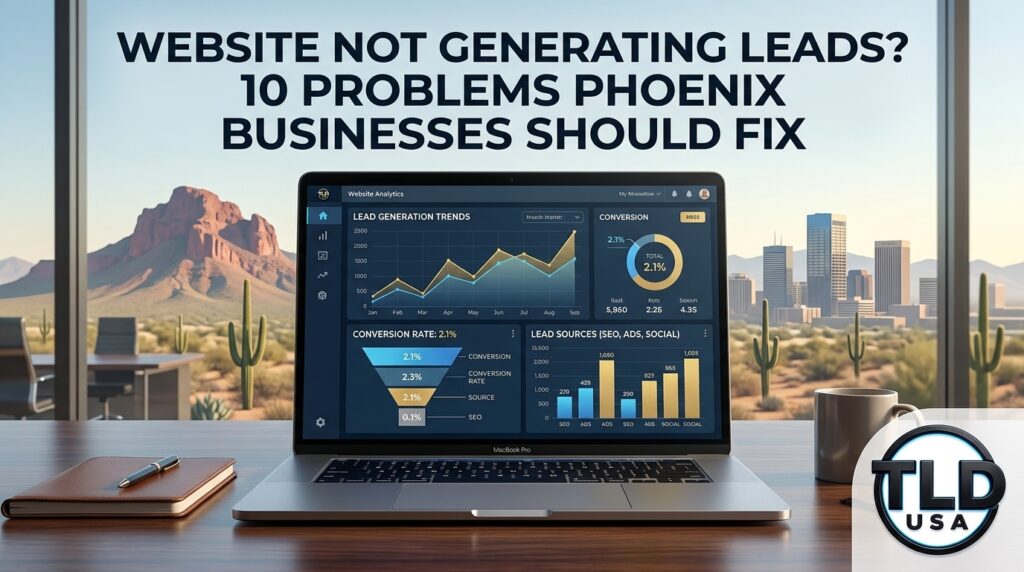
So why isn’t it generating more calls, form submissions, consultations, and customers?
If your website is not generating leads, the problem may not be that you need a completely new website.
It may be one of several smaller problems hiding inside your website, SEO, Google Business Profile, tracking, email, or CRM.
For Phoenix and Scottsdale businesses, these problems can quietly cost customers every week.
The good news is that many of them can be fixed without rebuilding everything.
Quick answer: If your website is not generating leads, check your calls to action, mobile experience, page speed, service pages, local SEO, Google Business Profile, forms, conversion tracking, email delivery, and CRM follow-up. A website can receive visitors and still lose customers if those systems are not working together.
1. Your Website Doesn’t Tell Visitors What to Do Next
This is one of the simplest problems to fix.
A potential customer visits your website because they are looking for something.
They want a service.
They have a problem.
Need a quote.
They want to know whether you can help.
If they have to figure out what to do next, many will simply leave.
Every important page on your website should give the visitor a logical next step.
That could be:
- Call your business
- Request a quote
- Schedule a consultation
- Book an appointment
- Submit a contact form
- Send an email
- View a specific service
- Get directions
Your calls to action should also match the customer’s intent.
Someone searching for emergency IT support should not have to hunt through your homepage to find a phone number.
The person researching website design should be able to move directly from the service page to a consultation.
Someone comparing local SEO companies should be able to understand what you actually do and how to contact you.
Good website design is not just about appearance. It is about reducing friction between the customer’s problem and your solution.
If your website needs a broader design or usability review, our guide to professional website design for Arizona businesses explains how the website, SEO, performance, and conversion pieces should work together.
2. Your Website Works on Desktop but Not on Mobile
This one gets overlooked constantly.
You may have reviewed your website on your office computer and thought everything looked great.
Your customer may be looking at it on a phone.
That difference matters.
A mobile visitor should be able to:
- Read your headline immediately
- Understand what you do
- Tap your phone number
- Find your location or service area
- Submit a form
- Schedule a consultation
- Navigate your services without excessive scrolling
Buttons should be easy to tap.
Forms should be easy to complete.
Important information should not disappear below an enormous image or complicated design element.
Your website should also load quickly.
A customer who has already decided they need your service is not going to wait around for a slow page to finish loading.
3. Your Service Pages Are Too Generic
This is a major SEO and conversion problem.
A page that says:
“We provide quality digital marketing services.”
doesn’t tell a potential customer very much.
A stronger service page answers specific questions.
What do you do?
Who do you help?
Where do you provide the service?
What problem does the service solve?
What does the customer get?
Then, what happens next?
For a Phoenix business, that might mean separate, useful information around:
- Website design
- Local SEO
- Google Business Profile optimization
- IT support
- Fractional IT
- CRM setup
- Business automation
- Email security
- Website maintenance
Your website should make it easy for both customers and search engines to understand exactly what you provide.
This is one reason TLD USA’s own website connects website development, SEO, IT support, CRM systems, and business technology rather than treating them as unrelated services.
4. Your SEO Is Bringing the Wrong Traffic
Traffic is not the same thing as leads.
You can rank for keywords and still generate very little business.
Imagine a Phoenix business ranking for a broad informational search that attracts thousands of visitors who are simply researching.
That traffic may look impressive in analytics.
It may produce almost no customers.
Compare that with someone searching:
“website designer Phoenix AZ”
or:
“Phoenix IT support for small business”
or:
“Scottsdale SEO company”
Those searches indicate much stronger commercial intent.
Effective SEO should not simply try to bring more people to your website.
It should help bring the right people to the right pages.
That means your keyword strategy, service pages, local content, Google Business Profile, internal links, and calls to action all need to support the same customer journey.
Our local SEO pricing guide for Phoenix and Scottsdale explains what businesses should actually be looking for when comparing local SEO services.
5. Your Google Business Profile and Website Aren’t Working Together
The website is only one part of local search.
Your Google Business Profile is another.
When someone searches for your business or service locally, they may see your Google Business Profile before they ever visit your website.
That means the two need to reinforce each other.
Your business information should be accurate and consistent.
The services should make sense.
Your website should clearly explain what your business does.
The service areas should accurately reflect where you actually operate.
Your reviews should support your reputation.
Your profile should give potential customers an easy path to call, visit your website, or take another meaningful action.
A strong Google Business Profile can create the opportunity.
A strong website needs to convert that opportunity.
TLD USA’s Google Business Profile optimization guide goes deeper into the local-search side of this process.
6. Your Contact Form Isn’t Working Correctly
This sounds obvious.
It isn’t.
Forms break.
Emails get misconfigured.
Spam filters catch legitimate inquiries.
A notification gets sent to an employee who no longer works there.
A form submits successfully but nobody actually follows up.
The customer sees a confirmation message and assumes you received everything.
Meanwhile, the lead disappears.
If your website is generating inquiries, test the entire process.
Submit your own form.
Check the confirmation.
Check the email.
The recipient.
Check the spam folder.
Check whether the lead actually enters your CRM.
Then check what happens after that.
A form that technically works but does not reliably deliver leads is still a broken lead-generation system.
7. Your Website Gets Leads but Your Email Loses Them
Email problems can be especially frustrating because the website may appear completely functional.
Someone fills out a form.
The website says:
“Thank you. We’ll be in touch.”
Then nothing happens.
Maybe the email went to spam.
Maybe the notification never arrived.
Is your business email is misconfigured?
Maybe the lead replied to an automated message and nobody saw it.
Email is part of your sales infrastructure.
It should not be treated as an afterthought.
For businesses using Microsoft 365, Google Workspace, website forms, CRMs, scheduling systems, and marketing platforms, email needs to be configured and monitored as part of the larger system.
That is also where website support and IT support can overlap.
Sometimes the problem isn’t the website.
Sometimes the problem is what happens after the website sends the lead.
8. Your Leads Aren’t Going Into Your CRM
This is where a lot of businesses have a hidden leak.
The website generates a lead.
The email sends a notification.
Someone responds.
But the lead never gets entered into a system.
Now there is no reliable record of:
- Where the lead came from
- What they asked about
- Whether someone followed up
- When they were contacted
- What stage they’re in
- Whether they became a customer
- How much revenue the lead eventually produced
A properly configured CRM can solve much of this.
TLD USA’s guide on CRM for small business covers the signs that a business has outgrown spreadsheets, memory, scattered emails, and manual follow-up.
The important point is this:
Your website should not operate separately from your sales process.
The website creates the opportunity.
The CRM helps manage it.
The follow-up process helps turn it into business.
9. You Don’t Know Where Your Customers Came From
This is one of the most expensive problems because you can spend money fixing the wrong thing.
You might be paying for SEO.
You might be running Google Ads.
Might be posting on social media.
You might be publishing blog articles.
You might be working on your Google Business Profile.
But can you answer this question?
Where did your last ten customers come from?
Not your website traffic.
I do not mean impressions.
And, I’m not talking about clicks.
Actual Customers.
If you cannot answer that question, your marketing system probably has a tracking problem.
Website forms, phone calls, bookings, CRM records, Google Business Profile activity, and marketing campaigns should connect closely enough that you can see what is actually producing business.
Our article on local marketing tracking for Phoenix and Scottsdale businesses covers this problem in detail.
You may not need to spend more money.
You may need to understand where your existing money is already working.
10. You Keep Thinking You Need a New Website
This may be the biggest mistake of all.
Sometimes the website really does need to be rebuilt.
Other times, it doesn’t.
Maybe the pages are good but the forms are broken.
Maybe the design is acceptable but the SEO structure is weak.
Perhaps the website ranks but doesn’t convert.
Maybe the Google Business Profile needs attention.
Maybe your CRM isn’t connected.
Are your email notifications aren’t working?
Maybe your website simply needs several technical fixes that nobody has gotten around to making.
A complete redesign is one possible solution.
It is not automatically the correct solution.
TLD USA regularly works with businesses that need targeted website fixes, ongoing maintenance, SEO improvements, technical support, or a complete rebuild when the existing website has reached its limits.
Our FAQ explains the difference between one-time projects and ongoing support, including website fixes, SEO setup, CRM builds, and month-to-month support.
The Real Problem May Be Bigger Than Your Website
This is the part many business owners miss.
Your website does not exist by itself.
It sits inside a larger digital system.
That system can include:
Website
↓
Google Business Profile
↓
SEO
↓
Phone and Forms
↓
↓
CRM
↓
Follow-Up
↓
Customer
If one part of that system fails, the customer can disappear.
That is why fixing one isolated problem sometimes produces a surprisingly large improvement.
You don’t necessarily need more traffic.
You may need to stop losing the traffic you already have.
What Should You Fix First?
Start with the problems closest to the customer.
Check these first:
- Is your phone number obvious and clickable?
- Does your website work properly on mobile?
- Do your forms actually deliver inquiries?
- Are form submissions reaching your email?
- Are leads entering your CRM?
- Is someone following up quickly?
- Can you tell where your leads came from?
- Does your Google Business Profile accurately represent your business?
- Do your service pages target real customer searches?
- Does every important page have a clear next step?
You don’t have to fix everything at once.
Find the biggest leak first.
Then fix it.
When You Need a Website Fix, SEO Help, CRM Work or Technical Support
This is exactly where a full-service digital agency can make sense for a small business.
You may need a new website.
Or you may simply need someone to fix the one you already have.
You may need SEO.
Or you may need to fix the technical problems preventing your existing SEO from producing better results.
You may need a CRM.
Or you may need your existing CRM connected correctly to your website, email, forms, and sales process.
You may need IT support.
Or you may simply have a handful of technical problems that have been sitting on your list for six months because nobody has had the time or expertise to deal with them.
TLD USA works with Phoenix, Scottsdale, and Arizona businesses on these exact problems.
We provide website design and support, SEO, Google Business Profile optimization, CRM development, automation, email and technology support, and Fractional IT plans.
Our complete local business online presence checklist explains how these pieces fit together.
You Don’t Have to Start With a Huge Project
One of the biggest misconceptions about getting professional technology help is that everything has to become a massive project.
It doesn’t.
Sometimes the right first step is simply identifying what is broken.
Then you fix the highest-impact problems first.
TLD USA offers both one-time projects and ongoing support. Fractional IT plans start at $250 per month for four hours of professional support, including website maintenance, software updates, security monitoring, cybersecurity improvements, system optimization, and technical support. Monthly plans are month-to-month rather than locked into a long-term contract.
That means you can address the problems that are actually affecting your business instead of signing up for a large package you don’t need.
A Simple Next Step
If your website is not generating leads the way you think it should, don’t immediately assume you need a new website.
First, figure out where the customer journey is breaking.
It could be your website.
It could be SEO.
Maybe its your Google Business Profile.
It could be email.
It could be your CRM.
Could be tracking.
It could be something technical that has been sitting on your to-do list for months.
The first step is finding the leak.
TLD USA can review your website, online presence, lead flow, and technology setup and help identify what needs attention first.
Book a free 30-minute consultation.
Or call 623-282-2114.
Arizona’s Full Service Digital Agency
Websites. SEO. IT Support. CRM. Business Technology.
One Team. One Call. Complete Support.
Frequently Asked Questions
Why is my website not generating leads?
A website may fail to generate leads because of weak calls to action, poor mobile performance, slow pages, unclear service information, weak local SEO, broken forms, email problems, or poor follow-up. The first step is identifying where the customer journey breaks.
Do I need a new website if my current website isn’t generating leads?
Not necessarily. Some businesses need a complete redesign, while others need targeted fixes, better SEO, improved calls to action, working forms, or stronger CRM and tracking connections.
Can SEO bring traffic but not customers?
Yes. SEO can increase visibility without producing qualified leads if the keywords, landing pages, calls to action, or conversion process do not match customer intent.
How do I know if my website forms are working?
Submit your own forms and verify the complete process. Check the confirmation message, email delivery, spam folder, CRM record, and follow-up process. A form is only useful when the inquiry reaches the right person and gets handled.
Should my website connect to my CRM?
For many businesses, yes. Connecting website forms and other lead sources to a CRM can reduce manual entry, improve follow-up, and make it easier to understand where customers came from.
Can TLD USA fix a website someone else built?
Yes. TLD USA regularly works with websites built on Wix, Squarespace, GoDaddy, older WordPress installations, and other platforms. Sometimes that means targeted fixes. Other projects require a complete rebuild.
Does TLD USA offer one-time website and SEO work?
Yes. TLD USA offers both one-time projects and ongoing monthly support. The right approach depends on what your business actually needs.
Final Thoughts
A website that is not generating leads is not always a bad website.
It may simply have a problem somewhere in the system.
A broken form.
A weak call to action.
Poor local SEO.
A disconnected CRM.
Email problems.
Missing tracking.
An outdated Google Business Profile.
Or a technical issue that has been sitting on your list because you haven’t had anyone experienced enough to handle it.
Before you spend thousands rebuilding everything, find out what is actually broken.
TLD USA helps Phoenix, Scottsdale, and Arizona businesses fix websites, improve SEO, connect CRMs, solve technical problems, and build digital systems that help turn searches into customers.
Call 623-282-2114 or book your free 30-minute consultation: