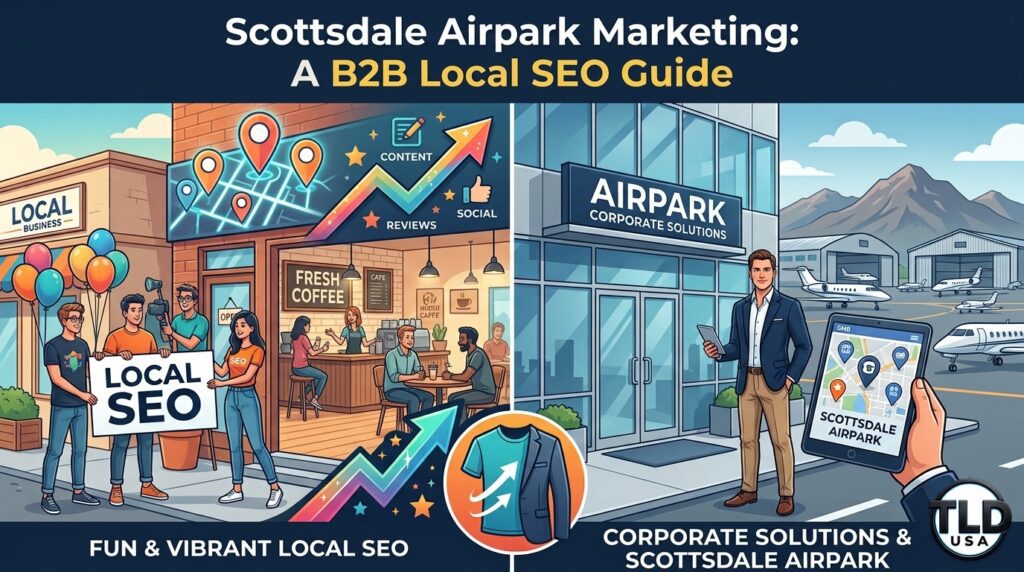
Scottsdale Airpark Marketing: A B2B Local SEO Guide
Scottsdale Airpark Marketing: A B2B Local SEO Guide
Most Scottsdale marketing advice, including our own neighborhood guide, assumes someone’s scrolling their phone on a Saturday, deciding between brunch spots.
Sweet.
Optimistic.
Completely useless if your office sits in the Scottsdale Airpark.
Nobody here is impulse-browsing. They’re at a desk, in business casual, googling “business attorney Scottsdale” between a 10am and a 10:30am. Scottsdale Airpark marketing doesn’t get to have fun. It needs credibility, a LinkedIn presence, and probably a PDF or some “TPS Reports”.
Quick answer: Marketing to the Scottsdale Airpark works best when it targets professional and corporate audiences directly, not casual consumers. Law firms, financial advisors, insurance agencies, and tech companies dominate this corridor. Effective strategies lean on LinkedIn alongside local SEO, professional credibility over visual appeal, and content aimed at business decision-makers, not someone deciding where to get tacos.
Table of Contents
What Makes the Airpark Different (Besides the Blazers)
Who’s Actually Searching Here
What Actually Ranks for Airpark B2B Searches
Building Credibility, Not a Vibe
Where LinkedIn Fits Into This
A Simple Next Step
Frequently Asked Questions
What Makes the Airpark Different (Besides the Blazers)
The Scottsdale Airpark sits near Scottsdale Road and the Loop 101.
It’s home to a dense concentration of office buildings, corporate headquarters, and professional service firms who all seem to share the same three parking garages.
Unlike Old Town’s tourist and nightlife crowd, or North Scottsdale’s residential luxury market, the Airpark runs almost entirely on weekday, business-hours activity. Nobody’s here at 9pm on a Friday unless they forgot a jacket at the office.
This changes everything about how marketing should work here.
A restaurant in Old Town optimizes for “brunch near me” on a Saturday morning, ideally with a photo of something drizzled in syrup.
A law firm in the Airpark optimizes for “business attorney Scottsdale,” searched by someone at their desk on a Tuesday afternoon. That person has already opened two other firms’ websites in separate tabs and is judging all three at once.
Who’s Actually Searching Here
The Airpark houses a heavy concentration of specific industries: law firms, financial and wealth management advisors, insurance agencies, accounting firms, tech and software companies, and corporate headquarters for mid-size regional businesses.
Nobody in this crowd is browsing casually.
They’re making a decision that affects their business, their finances, or their legal standing. The research process runs longer and far more skeptically than “does this place have good reviews and cute branding.”
This audience checks credentials.
They read case studies.
They compare experience and track record before ever picking up the phone.
That means your online presence needs to survive actual scrutiny, not just look nice for six seconds before someone bounces.
What Actually Ranks for Airpark B2B Searches
Location-specific service pages.
A page explicitly built around “Scottsdale Airpark” or nearby cross streets performs better for this corridor than a generic citywide Scottsdale page pretending to be everywhere at once.
Detailed, credential-forward content.
Bios, certifications, years of experience, and specific case results carry real weight here. This crowd wants the resume, not the vibe.
A financial advisor incorrectly categorized under a generic label instead of the more specific applicable category can quietly lose visibility for the searches that matter most. That’s a very expensive typo to leave sitting there.
Reviews still matter, but differently.
B2B reviews tend to focus on professionalism, responsiveness, and results rather than atmosphere. Nobody’s leaving a five-star review because your lobby smelled nice.
Building Credibility, Not a Vibe
A consumer business in Old Town might win someone over with vibrant photos and an active social feed. Try that in the Airpark and you’ll get a polite, silent tab closure.
This audience responds to depth. Think detailed service pages explaining exactly what a process involves, clear information about experience and qualifications, and content that demonstrates real expertise instead of just insisting on it in bold font.
This doesn’t mean Airpark businesses should ignore Google Business Profile activity or basic online presence fundamentals. It just means the tone needs to shift from “look how fun we are” to “look how competent we are.” That’s respectfully a much harder sell to make interesting.
Local SEO still matters heavily for Airpark businesses.
Still, this is one of the few Scottsdale sub-markets where LinkedIn genuinely deserves a seat at the table alongside it. Business decision-makers researching a law firm or financial advisor often check LinkedIn directly.
They’re quietly judging someone’s background, connections, and activity before ever visiting their website. It’s professional stalking, and everyone’s doing it.
A strong, active LinkedIn presence, paired with solid local SEO fundamentals, gives Airpark businesses two channels working the same B2B audience at once.
That beats relying on the consumer-focused local SEO playbook and hoping nobody notices the mismatch.
For the broader neighborhood-level strategy this fits into, see our guide on Scottsdale small business marketing by neighborhood, which covers how the Airpark compares to Scottsdale’s other, considerably more fun sub-markets.
A Simple Next Step
Marketing a professional services or B2B business in the Scottsdale Airpark requires a genuinely different approach than marketing a taco shop in Old Town.
However much both business owners might wish it were the same amount of work, it isn’t. Businesses that adapt their strategy to this corridor’s specific audience consistently outperform those applying a generic, one-size-fits-Scottsdale template.
Does local SEO still matter for B2B businesses in the Airpark?
Yes. Local SEO remains important, but it needs to be paired with credibility-focused content and often LinkedIn, rather than the consumer-focused tactics that work well elsewhere in Scottsdale.
Should Airpark businesses use social media like Instagram and Facebook?
These platforms can still play a supporting role, but LinkedIn typically delivers more direct value here. Nobody’s hiring a wealth manager because of a well-lit reel.
How is Google Business Profile different for Airpark businesses?
Category accuracy and complete, detailed business information matter even more here. B2B searchers tend to research thoroughly before making contact, and they will absolutely notice if your categories are wrong.
What industries benefit most from an Airpark-specific marketing approach?
Law firms, financial and wealth management services, insurance agencies, accounting firms, and B2B tech or software companies all see the clearest benefit from this tailored approach.
Final Thoughts
The Scottsdale Airpark operates on a fundamentally different rhythm than the rest of the city.
Marketing that ignores this difference underperforms compared to a strategy actually built for a B2B, professional audience.
Businesses in this corridor that lean into credibility, detailed content, and the right mix of local SEO and LinkedIn presence consistently win more of the right kind of attention, from people who are actually going to sign something.
TLD USA builds marketing strategies specifically tailored to Scottsdale’s distinct sub-markets, including the Airpark’s uniquely blazer-clad, spreadsheet-loving B2B audience.
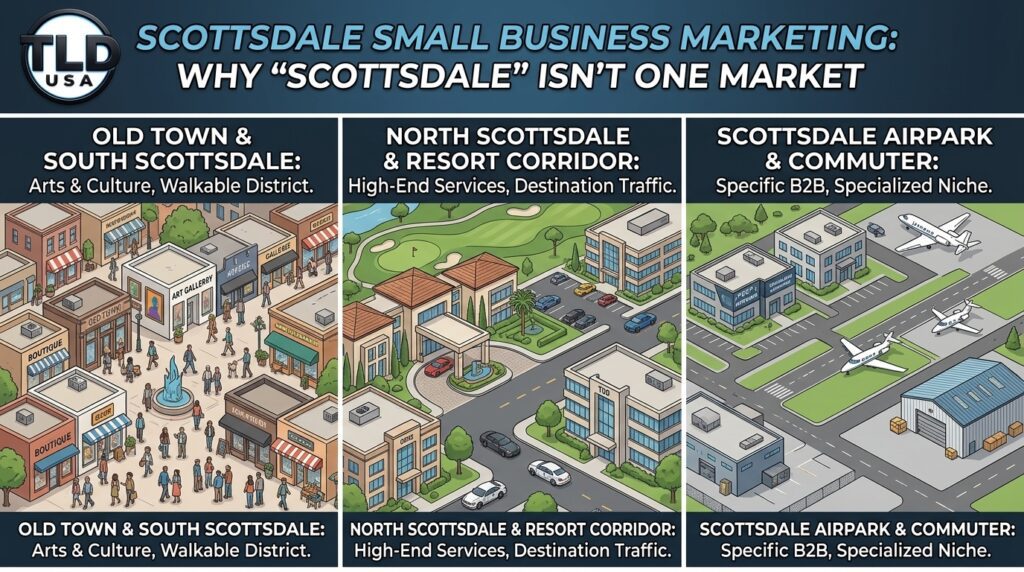
Don’t treat Scottsdale business marketing as one homogeneous market. Our infographic breaks down the city’s distinct segments: Old Town’s arts & walkable district, North Scottsdale’s luxury and destination focus, and the Airpark’s unique B2B and commuter hub.
Most local SEO advice treats Scottsdale as a single target.
Optimize for “Scottsdale plumber.”
Rank for “Scottsdale hair salon.”
Done.
That approach misses something important.
Scottsdale spans nearly 32 square miles. The customer searching from Old Town has almost nothing in common with the customer searching from North Scottsdale. Scottsdale business marketing that ignores this difference leaves real, findable customers on the table.
Quick answer: Effective Scottsdale business marketing accounts for the city’s distinct neighborhoods. Search behavior, competition, and customer expectations vary significantly between areas like Old Town, North Scottsdale, McCormick Ranch, and South Scottsdale. Businesses that set their Google Business Profile service area and website content around these specific neighborhoods, rather than “Scottsdale” alone, capture search traffic that competitors targeting the city broadly often miss entirely.
Table of Contents
Why Scottsdale Isn’t One Market
Old Town Scottsdale
North Scottsdale: DC Ranch, Grayhawk, and Troon
McCormick Ranch, Gainey Ranch, and Kierland
South Scottsdale
How to Actually Set This Up
A Simple Next Step
Frequently Asked Questions
Why Scottsdale Isn’t One Market
Scottsdale stretches roughly 30 miles, from its southern border near Tempe up through the desert foothills near Carefree.
Along that stretch, you pass through neighborhoods with completely different demographics, price points, and customer expectations.
A boutique in Old Town competes for foot traffic and maybe nightlife crowds.
A home services business in North Scottsdale competes for large, high-value properties spread across a much larger territory. Treating both with the same generic “Scottsdale” marketing approach wastes the specificity that actually wins local search.
Search engines increasingly reward this kind of specificity too.
A page or profile that clearly signals which part of Scottsdale a business actually serves tends to perform better for neighborhood-level searches. A page that only mentions the city name generally doesn’t compete as well.
Old Town Scottsdale
Old Town anchors the city’s entertainment, dining, art, and nightlife scene.
It draws both tourists and a dense population of younger residents and professionals.
Businesses here compete heavily on visibility and foot traffic. Search behavior often reflects immediate, high-intent decisions: “bars open now Old Town Scottsdale,” “brunch near me Scottsdale.”
For businesses in this area, local SEO should lean into walk ability. Proximity to specific landmarks like the Scottsdale Waterfront or Fifth Avenue shops matters here. So does a strong, active Google Business Profile with frequent posts and photos, since visual appeal carries real weight with this audience.
North Scottsdale communities like DC Ranch, Grayhawk, and Troon represent a very different customer base.
Think established homeowners, often with larger properties, higher average household incomes, and a preference for trusted, established service providers over impulse decisions.
Home services, landscaping, pool maintenance, and higher-end retail all perform differently here than in Old Town.
Search intent tends to be more research-driven.
Customers compare reviews and credentials carefully before reaching out.
Content and Google Business Profile descriptions that speak directly to these communities by name, rather than “North Scottsdale” generically, tend to resonate more with searchers who identify closely with their specific neighborhood.
This central corridor blends established residential communities with a strong retail and business presence, particularly around Kierland Commons and the Scottsdale Airpark. Businesses here often serve a mix of residents and the daytime professional population working in the Airpark’s dense concentration of offices.
This creates a genuine opportunity. Businesses that explicitly target both “near Kierland Commons” and “Scottsdale Airpark” searches can capture both residential and business-hours customer segments. A purely residential or purely commercial focus would miss one or the other.
South Scottsdale, closer to Tempe and Phoenix, tends to have a more established, diverse population with different price sensitivity than North Scottsdale’s luxury corridor. Businesses here often compete more directly on value and convenience. Local search here overlaps more heavily with Tempe and central Phoenix search traffic.
For businesses in South Scottsdale, it often makes sense to target combined searches like “South Scottsdale” alongside neighboring Tempe-adjacent terms. Customers in this area frequently search across both city boundaries without much regard for the technical line between them.
Rather than listing only “Scottsdale, AZ,” include the specific communities or areas you genuinely serve.
Create location-specific content where it makes sense.
A dedicated page or section addressing a specific neighborhood, its landmarks, and its particular needs performs better than one generic “Scottsdale” service page trying to speak to everyone at once.
Mention neighborhood names naturally throughout your website.
References to DC Ranch, Old Town, Kierland, or McCormick Ranch, woven naturally into service descriptions and testimonials, reinforce your relevance for those specific searches.
Collect reviews that mention location when possible.
A review that naturally references “our house in Grayhawk” or “our shop near Fifth Avenue” adds authentic, location-specific signal that generic reviews don’t provide.
Dominating a Scottsdale business marketing search doesn’t mean out-shouting every competitor with the word “Scottsdale” the most times.
It means understanding exactly which part of Scottsdale your customers actually live and search in. From there, you build your online presence around that specific reality instead of a generic citywide approach.
Should I target all of Scottsdale, or just my specific neighborhood?
This depends on your actual service area. A business genuinely serving all of Scottsdale should still include specific neighborhood mentions throughout its content. A business rooted in one area benefits most from focusing deeply on that specific community.
Does neighborhood-level SEO actually make a measurable difference?
Yes, particularly for search terms that combine a service with a specific area. Fewer competitors optimize at this level of specificity, which makes it genuinely easier to stand out.
How do I find out which Scottsdale neighborhoods my customers actually come from?
Google Business Profile insights and your own customer records both typically show location data. That data reveals which specific areas generate the most inquiries.
Is this approach only useful for home service businesses?
No. Retail, hospitality, professional services, and healthcare businesses all benefit from neighborhood-level local SEO. Customer search behavior varies by area regardless of industry.
Final Thoughts
Scottsdale business marketing built around one generic citywide strategy leaves real customers undiscovered in neighborhoods with genuinely different needs, price points, and search behavior.
Businesses that understand and market to these differences directly, rather than treating Scottsdale as a single market, consistently capture search visibility that competitors overlook entirely.
TLD USA builds hyper-local Scottsdale marketing strategies that account for exactly this kind of neighborhood-level nuance, not just a citywide keyword template.
Google shows a map with three businesses, and those three get most of the calls. Is yours one of them?
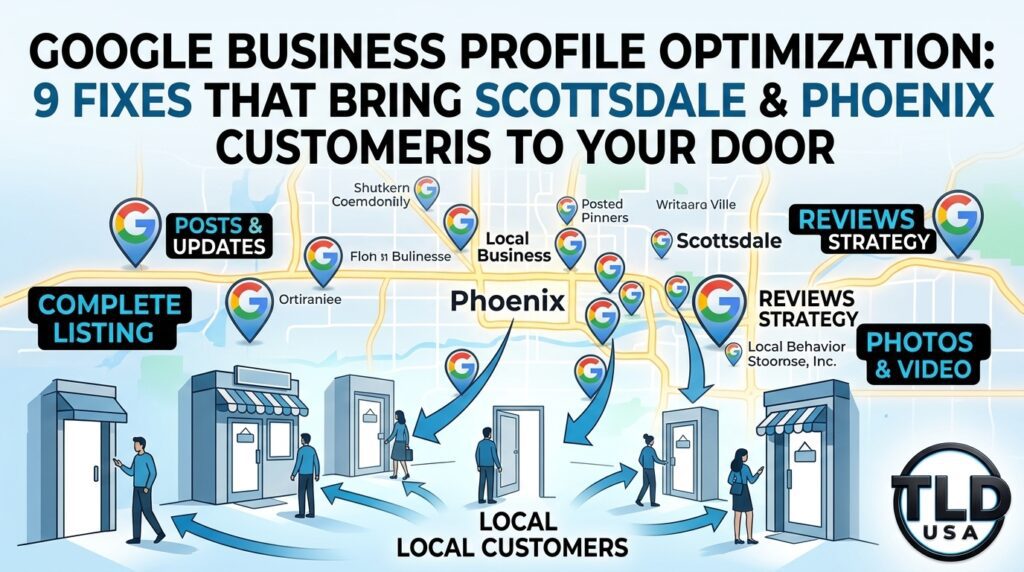
That map is called the “map pack,” and your Google Business Profile decides who appears in it. For many local searches, this profile is the first thing a customer sees. Consequently, it can matter even more than your website. Fortunately, Google Business Profile optimization is something any owner can start today. This guide walks through 9 practical fixes for Scottsdale and Phoenix small businesses. Along with that, you will get a quick self-check and a weekly routine.
It shows your name, hours, phone number, photos, reviews, and website link. In addition, it lets customers call you or get directions with one tap.
Local search is competitive across the Valley. Scottsdale, Phoenix, Tempe, Mesa, Chandler, and Gilbert all have dense clusters of businesses in every trade. As a result, “near me” searches often favor the businesses with the most complete and active profiles. Your website still matters. However, the profile is where many customers make up their minds before they ever click through.
9 Google Business Profile Optimization Fixes
1. Claim and Verify Your Profile
First, make sure you own your listing. An unclaimed profile lets others suggest edits, so Google may show wrong hours or the wrong phone number. Search your business name, then follow the prompts to claim and verify it.
Use your real-world business name exactly as it appears on your signage and paperwork. Adding extra keywords or city names to the name field breaks Google’s rules. Therefore, keyword stuffing in your name can get your profile suspended.
2. Choose the Right Primary Category
Your primary category tells Google what you do. It carries more weight than almost any other field. Pick the most specific option that describes your core business. For instance, “Accountant” is stronger than a broad label like “Financial Service” if accounting is your main work.
Next, add secondary categories for other services you truly offer. Google allows up to nine. Be honest here, though. Categories that don’t match your website, photos, and reviews can work against you.
3. Keep Your Name, Address, and Phone Number Consistent
Google compares your details across your profile, website, and online directories. When they disagree, trust drops. So, match everything exactly, including your name, address format, phone number, and website link.
If you serve customers at their locations, set up a service area instead of showing your home address. Then list the cities you cover, such as Scottsdale, Phoenix, Tempe, and Mesa.
4. Write a Clear Business Description
You get 750 characters. Use them to explain what you do, who you serve, and where you work. Put the most important facts first and write in plain language. Also, skip links and hype like “best in town,” because Google’s guidelines prohibit promotional claims in this field.
5. List Every Service With a Short Description
Services give Google and customers specifics. List each service you offer and add one or two sentences about each one. Furthermore, if your pricing is straightforward, include it. Clear pricing builds trust and attracts serious customers. When pricing depends on a consultation, leave the price blank and explain the service instead.
6. Upload Real Photos
Photos prove you are a real, active business. Add an exterior shot, a few interior shots, a team photo, and pictures of your work. Real photos beat stock images every time. Likewise, avoid AI-generated images, since they set unrealistic expectations for customers.
Add a few new photos each month to keep the profile fresh. In short, a handful of clear, well-lit photos does more than dozens of blurry ones.
7. Earn Reviews, Then Answer Every One
Reviews influence both rankings and buying decisions. Ask happy customers to leave one right after you finish the job, and send them a direct link. Never buy reviews, and never filter who you ask based on how they feel. Both practices can get reviews removed and your profile penalized.
Reply to every review, good or bad. Thank happy customers by name. For a critical review, respond calmly, address the issue, and offer to talk offline. Because future customers read your replies, they show how you handle problems.
8. Post Updates Every Week
Posts show that your business is active. Share a recent project, a helpful tip, a seasonal reminder, or a service update. Keep them informative and specific. A few sentences and one good photo are enough. Most important, stay consistent, since a weekly post beats a burst of five followed by months of silence.
9. Add Links and Track Your Results
Link your website, booking page, and social profiles so customers can act right away. Then, watch the performance data inside your profile. Look at calls, direction requests, and website clicks. Over time, these numbers show which changes work. If calls rise after you add services and photos, keep going. If nothing moves, adjust your approach.
Weak Profile vs. Strong Profile
Element
Weak Profile
Strong Profile
Category
Broad or mismatched
Specific primary, honest secondaries
Contact details
Differ from website
Identical everywhere
Description
Blank or hype-filled
Clear, factual, 750 characters used
Services
Missing
Listed with short descriptions
Photos
None or stock
Real, recent, varied
Reviews
Unanswered
Replied to, steady flow
Activity
Silent for months
Weekly posts and updates
Common Mistakes That Hurt Visibility
As you clean up your profile, watch out for these problems, since they can lower your ranking or trigger a suspension:
Stuffing keywords into the business name
Using a virtual office or P.O. box as your address
Buying or faking reviews
Picking categories that don’t match your business
Ignoring wrong information that others suggest
Letting the profile sit untouched for months
A 30-Minute Weekly Routine
Small, steady effort beats one big cleanup. Because of that, block this time on your calendar each week:
Check for unwanted edits and fix anything inaccurate
Reply to new reviews
Publish one post
Add two to five fresh photos
Review your calls and direction requests
Quick Self-Check: Is Your Profile Working for You?
Answer yes or no to each item:
Is my profile claimed and verified?
Does my business name match my signage exactly?
Is my primary category the most specific option I can choose?
Are my hours accurate, including holidays?
Can customers see each service with a short description?
Have I added real photos recently?
Did I reply to every review?
Has it been less than two weeks since my last post?
Do my profile and website show identical contact details?
Scoring: If you answered no to three or more items, your profile is likely losing customers to competitors.
Why Scottsdale and Phoenix Owners Hire Help With Their Profiles
Maintaining a profile takes steady effort. Meanwhile, you are busy running a business. That is why many owners hand it off. At TLD USA, we manage Google Business Profiles for owner-operated businesses across Scottsdale, Phoenix, and the greater Valley. We also connect the profile to the rest of your marketing:
Google Business Profile management and local SEO
Web design and development built for speed and mobile
Social media management
CRM setup and automation so leads get a fast follow-up
Cybersecurity, email security, and fractional IT support, starting at $250 per month
Because your profile and website work together, we look at both. Consequently, the fixes support each other instead of pulling in different directions.
Find Out What Your Profile Is Missing
Ready to see where you stand? Let’s look at it together. Afterward, we will give you a clear list of fixes and tell you plainly what to do first.
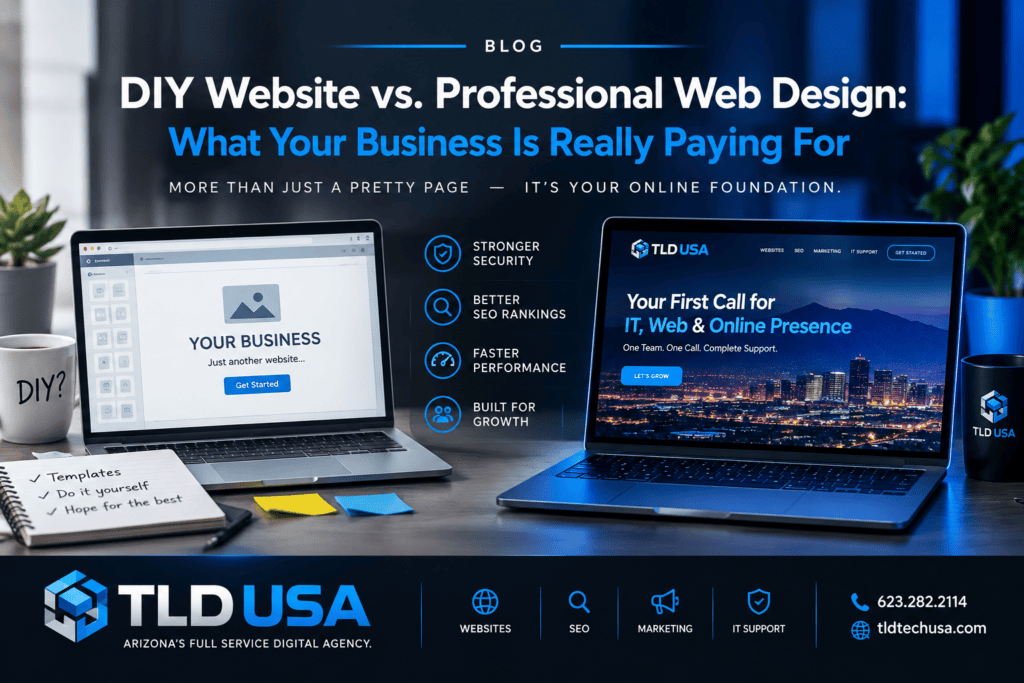
You built your website yourself, and it looks clean. It cost only a few hundred dollars a year. Even so, your phone stays quiet. So why is that happening?
Many Scottsdale and Phoenix business owners ask this exact question. In most cases, the platform is not the problem. Instead, the answer sits behind the design. This guide breaks down the real difference in a DIY website vs. professional web design decision. Along with that, you will see how to tell if your site is working or just sitting there.
Why So Many Scottsdale and Phoenix Businesses Start With a DIY Website
DIY builders solve a real problem. They are fast, cheap, and easy to start. For example, Wix, Squarespace, and GoDaddy let you launch in a weekend. That is a smart move when you are opening a new business.
However, launching a site and winning customers are two different jobs. A DIY site handles the first job. On its own, it does not handle the second one.
DIY Builders Are Not the Problem
Let’s be clear. A site built on Wix or Squarespace can work well. In fact, plenty do. Still, the real problem is the missing strategy. Most DIY sites are built once and never tuned. Meanwhile, your competitors keep improving theirs.
7 Gaps That Cost DIY Websites Customers
Most owner-built sites share the same weak spots. As you read, check your own site against this list.
1. No Local SEO Foundation
Scottsdale and Phoenix are crowded markets. Every service category has dozens of competitors. Therefore, Google needs clear signals to know where you work and what you do.
DIY sites often skip these signals. Common misses include:
Generic page titles like “Home” or “Services”
A lack of city or neighborhood terms in your content
Missing local business schema
One “Services” page instead of a page for each service
As a result, you do not show up when someone searches for a Phoenix plumber or a Scottsdale accountant.
2. An Unclaimed or Neglected Google Business Profile
Your website and your Google Business Profile work as a team. In fact, many local customers find you on the map before they ever see your site. Consequently, old photos, missing posts, or incomplete categories on your profile cost you those customers.
Ideally, your site should also match your profile exactly. Your name, address, and phone number must be identical in both places.
3. Slow Page Speed
Phones dominate local search. Because of that, a visitor standing in a parking lot will not wait for a heavy page. Large uncompressed images are the most common cause, while too many apps and plugins come second. Slow pages hurt you twice, since visitors leave and Google notices.
4. Weak Mobile Experience
Your site may look great on your laptop. However, the view on your phone can tell a different story. Tiny buttons, hard-to-read text, and forms that are painful to fill out all push people away.
5. No Clear Path to Contact You
Ask yourself one question. What should a visitor do in the first five seconds? If the answer is unclear, they will leave. By contrast, a working site includes:
A visible, tap-to-call phone number on mobile
Booking or contact buttons on every page
A short form that asks for only what you need
Trust signals like reviews, licenses, and real photos
6. Thin or Copied Content
Many DIY sites use template text. Some pages hold only two or three sentences. As a result, Google has little to work with, and customers learn nothing about why they should pick you.
Strong content answers real questions. For instance, it names your city, explains your process, and shows proof that you know your trade.
7. Security and Email Gaps
Here is the gap most owners never see. A site with no security setup is a risk. In addition, email sent from your domain without proper authentication can land in spam or be spoofed by scammers. Your business email is part of your brand, so if clients do not receive your quotes, you lose sales without knowing it.
DIY Website vs. Professional Web Design: A Side-by-Side Look
Factor
Typical DIY Site
Professionally Built Site
Upfront cost
Low
Higher
Local SEO setup
Basic or missing
Built in from day one
Page speed tuning
Default settings
Optimized and tested
Lead capture
Simple contact form
Forms tied to a CRM and follow-up
Security and email
Rarely addressed
Configured and monitored
Ongoing support
You handle it
Someone watches it for you
Strategy
None
Matched to your customers and market
Notice the pattern. DIY saves money on day one. In contrast, professional design pays off over the following months and years.
The Hidden Cost of “Free” Time
Your time has a price. For example, every hour spent fixing a broken page is an hour not spent serving customers. To see the impact, consider what you earn per hour in your business. Then, count the hours you spend on your website each month.
In addition, weigh the cost of lost leads. If your site misses even a few customers a month, that revenue adds up fast. Because those visitors leave without a trace, you never see them.
When a DIY Website Is Still the Right Choice
We believe in honest advice. Therefore, we will say plainly that DIY may fit you if:
You are pre-revenue and testing an idea
Referrals bring in all of your customers
Learning the tools sounds like a good use of your time
If that sounds like you, keep going. Later on, plan an upgrade for when growth becomes the goal.
When It Is Time to Bring in a Professional
Consider help if any of these are true:
Google is your main source of new customers, yet you rarely appear in results
Your site gets visits, but few calls or form fills
Site speed, rankings, and lead sources are a mystery to you
Fixing the site has been on your to-do list for months
Security or email problems worry you
Quick Self-Check: Is Your Website Working for You?
Answer yes or no to each item:
Does my site load in under three seconds on my phone?
Can a visitor call or book in one tap?
Does each service have its own page with local terms?
Is my Google Business Profile an exact match for my site?
Are recent reviews displayed on the site?
Is my domain email set up so messages reach inboxes?
Do I know how many leads my site produced last month?
Scoring: If you answered no to three or more items, your site is likely leaving money on the table.
What a Professional Website Setup Includes
At TLD USA, we build sites for owner-operated businesses across Scottsdale, Phoenix, and the greater Valley. Our approach covers the full picture:
Web design and development built for speed and mobile
Local SEO and Google Business Profile management
CRM setup and automation so no lead slips away
Cybersecurity and email security that protect your brand
Fractional IT support, starting at $250 per month
Furthermore, we work with the platform you already have. You do not always need a rebuild. Instead, a focused fix on your current Wix, Squarespace, or GoDaddy site sometimes delivers the biggest win.
Get a Straight Answer About Your Website
Not sure where your site stands? Let’s look at it together. Afterward, we will point out the gaps and tell you plainly what is worth fixing.
Website Redesign Cost: What You’ll Actually Pay in 2026
Your website looks dated.
It loads slowly.
Maybe it doesn’t even work right on a phone anymore.
You know a redesign is coming, but every quote you’ve gotten so far lands in a wildly different range. Understanding website redesign cost, and exactly what drives that number up or down, makes it far easier to budget correctly and spot a fair quote when you see one.
Quick answer: A website redesign typically costs between $2,000 and $15,000 for a small to mid-sized business, depending on the number of pages, custom functionality, and whether content and photography need to be created from scratch. Simple redesigns on an existing content foundation land toward the lower end. Custom builds with e-commerce, booking systems, or advanced integrations push costs toward the higher end.
Table of Contents
Signs It’s Actually Time for a Redesign
Typical Website Redesign Pricing by Scope
What Actually Drives the Cost Up or Down
How to Evaluate a Redesign Quote
Red Flags in Redesign Pricing
Is a Redesign Worth the Investment?
How TLD USA’s Pricing Model Compares
A Simple Next Step
Frequently Asked Questions
Signs It’s Actually Time for a Redesign
Not every website needs a full redesign. Sometimes targeted fixes solve the real problem. A few clear signs point toward a genuine rebuild rather than a patch job.
Your site looks visibly outdated compared to competitors.
Design trends shift, and a site that looked current five years ago often reads as dated the moment a visitor compares it to a competitor’s site.
Mobile performance is genuinely broken, not just imperfect.
If pages don’t load correctly, buttons overlap text, or navigation doesn’t work on a phone, that’s a rebuild issue, not a minor tweak.
Your platform can’t support what your business needs now.
A site built years ago on an outdated platform often can’t handle a booking system, e-commerce, or other functionality your business has since grown into needing.
Page speed is consistently slow no matter what gets adjusted.
Sometimes underlying code or an outdated theme creates a speed ceiling that small fixes can’t break through.
You’re embarrassed to send people to your own website.
This one is subjective, but it matters. A website that doesn’t reflect how your business actually operates today creates a real mismatch with the experience customers expect.
Typical Website Redesign Pricing by Scope
Project Type
Typical Cost Range
What’s Usually Included
Simple Redesign
$2,000 – $4,500
Refreshed design on existing content, 5-8 pages
Standard Business Redesign
$4,500 – $8,000
New design, content updates, SEO foundation, 8-15 pages
These ranges reflect typical small business projects. Highly complex builds with extensive custom development can run higher depending on scope.
What Actually Drives the Cost Up or Down
Number of pages and content complexity.
A five-page site costs meaningfully less to design and build than a fifteen-page site with multiple service areas or locations.
Whether content and photography already exist.
Writing new copy and sourcing professional photography from scratch adds real cost. Reusing and refining existing content keeps the budget lower.
Custom functionality requirements.
Booking systems, membership portals, e-commerce, or custom integrations with a CRM all add development time and cost beyond a standard informational website.
SEO and technical setup depth.
A redesign that includes proper technical SEO, page speed optimization, and mobile testing costs more upfront but avoids expensive rework later.
Platform choice.
Building on an open, flexible platform like WordPress sometimes costs more initially than a page-builder tool, but it avoids long-term limitations and lock-in that often force a second redesign sooner than expected.
How to Evaluate a Redesign Quote
Ask for an itemized breakdown, not just one total number.
A fair quote separates design, development, content, and SEO setup so you can see exactly where your budget goes.
Confirm what happens after launch.
Ask whether basic support or a short adjustment period is included, or whether every post-launch change gets billed separately from day one.
Check whether the quote includes mobile optimization and speed testing.
These shouldn’t be treated as optional add-ons on a modern website redesign.
Ask how many rounds of revisions are included.
Unlimited revisions sound appealing but often signal a vague scope that leads to a longer, more expensive project than expected.
For a deeper look at evaluating who actually builds the site, our guide on how to choose a web design agency covers the full vetting process step by step.
Red Flags in Redesign Pricing
A quote given before any real discussion of your goals or current site
No breakdown between design, development, content, and SEO
Extremely low pricing with no explanation of what’s excluded
No clear answer about mobile optimization or page speed
Pressure to decide immediately with a limited-time discount
Is a Redesign Worth the Investment?
A redesign pays for itself when it directly improves what your website is supposed to do: convert visitors into calls, bookings, or sales. A faster, mobile-friendly, well-structured site typically sees meaningfully better conversion rates than an outdated one, even before accounting for the SEO benefits of a properly built foundation.
That said, a redesign only delivers real return when it’s paired with a plan for driving traffic to the new site. A beautiful redesign with no local SEO strategy behind it often underperforms compared to a simpler site backed by consistent visibility efforts. Our guide on building a complete local business online presence covers how a redesign fits into that bigger picture.
How TLD USA’s Pricing Model Compares
Most of the ranges above assume the traditional model: one big project, one big invoice, paid upfront or in two or three large chunks. That structure works fine if your budget can absorb it all at once. It works less well if you’re a growing business trying to redesign a site without draining cash flow in a single month.
TLD USA takes a different approach. Every project is billed at a transparent, published hourly rate of $125, broken down clearly so you see exactly what you’re paying for, rather than one opaque flat number. On top of that, redesign work doesn’t have to happen as one large, all-at-once expense. Through a fractional model starting at $250 a month, you can pace a redesign, and ongoing site improvements after it, across a schedule that actually fits your budget and your timeline, instead of committing to a lump sum before work even begins.
That flexibility matters most for businesses that know they need a redesign but don’t want to choose between doing it right and doing it all at once. Spacing the work out doesn’t mean spacing out the quality. It means the project moves at a pace your business can actually sustain.
A Simple Next Step
Understanding real website redesign costs upfront makes budgeting far easier and helps you recognize a fair quote versus one that’s underpriced, overpriced, or vague about scope.
A simple redesign on an existing content foundation typically costs between $2,000 and $4,500, depending on the number of pages and complexity.
Why do website redesign quotes vary so much between agencies?
Pricing differences usually come down to scope. Some quotes only cover design, while others include content creation, SEO setup, and post-launch support, which significantly affects the total cost.
Do I need to redesign my whole website, or can I just fix specific pages?
Not always. If your core structure and platform still work well, targeted updates to specific pages can address the problem without the cost of a full redesign.
How long does a website redesign take?
Most standard redesigns take a few weeks from kickoff to launch, depending on how quickly content, feedback, and approvals come back during the process.
Should I expect to pay more for SEO as part of a redesign?
A redesign that includes proper technical SEO and mobile optimization from the start typically costs more upfront but avoids expensive rework later to fix issues a rushed redesign often creates.
Final Thoughts
Website redesign cost varies for real, identifiable reasons, and understanding those reasons makes it far easier to budget accurately and evaluate whether a quote actually reflects the scope of work your business needs. A redesign done right pays for itself through better conversion, stronger SEO, and a site that finally matches how your business actually operates today.
TLD USA builds custom WordPress website redesigns for Phoenix and Scottsdale business owners with transparent, itemized pricing from the very first conversation.
Paid for the website. Worked on your Google Business Profile. You may be running SEO, advertising, social media or referrals.
Then a potential customer calls while you’re on a job, helping another customer, driving, in a meeting or simply away from your phone.
They leave a voicemail.
Or they don’t.
You plan to call them back.
Then the day gets away from you.
By the time you call, they’ve already contacted someone else.
For many small businesses, the problem isn’t generating another lead.
The problem is what happens after the lead arrives.
Quick answer: If your business regularly misses calls, takes hours to respond to website inquiries, or relies on memory to follow up with prospects, you may have a lead-management problem rather than a lead-generation problem. A properly connected website, phone system, CRM and automation workflow can help make sure legitimate inquiries are captured, acknowledged and followed up with.
Recent small-business discussions have repeatedly focused on this exact problem: missed calls, slow responses, after-hours inquiries, forgotten follow-ups and owners being too busy serving customers to manage every incoming lead.
For Phoenix and Scottsdale businesses, this matters because the customer who just searched for a service often has several options available to them.
You may only get one opportunity to respond.
Table of Contents
Why Small Businesses Miss Good Leads
The Problem With Relying on Voicemail
What Happens When a Website Lead Comes In
Why Speed Matters Without Chasing Every Lead
Missed-Call Text Back: A Simple First Step
What After-Hours Leads Should Trigger
How a CRM Prevents Leads From Disappearing
Where AI Can Actually Help
Why Your Website and CRM Need to Work Together
What Your Lead Process Should Look Like
When Fractional IT Makes Sense
A Simple Lead-Leak Test
A Simple Next Step
Frequently Asked Questions
Final Thoughts
Why Small Businesses Miss Good Leads
Most small businesses aren’t intentionally ignoring customers.
They’re busy.
A plumber is on a job.
A transmission shop is working on a vehicle.
A contractor is walking a property.
A salon owner is with a client.
A medical office is helping patients.
A law firm is dealing with an existing case.
A real estate professional is showing a property.
The business is doing exactly what it is supposed to do: serving customers.
The problem is that the phone doesn’t care what you’re doing.
Neither does the website.
Nor does the contact form.
Neither does the person who just searched Google for your service.
That creates a dangerous disconnect.
Your marketing can generate the opportunity, but your operational systems have to capture it.
The Problem With Relying on Voicemail
Voicemail isn’t useless.
It is simply not a complete lead-management system.
When someone calls a local business and gets voicemail, several things can happen.
They might leave a message.
Probably might hang up.
They might send a text instead.
Might visit another website.
They might call your competitor.
They might decide to deal with the problem later and forget about it entirely.
The business owner usually has no idea which outcome occurred.
That makes missed calls difficult to measure.
A better system treats an unanswered call as an event that requires action.
For example:
Incoming call → missed → automatic acknowledgment → lead captured → follow-up assigned → customer contacted → outcome recorded
That is very different from:
Incoming call → voicemail → remember to call back
One is a process.
The other depends on memory.
What Happens When a Website Lead Comes In?
The same problem happens with website forms.
A potential customer fills out your contact form.
What happens next?
Does the form go to one employee’s email?
Does someone receive a text?
Is the lead entered into your CRM?
Does the customer receive an immediate acknowledgment?
Does someone know who is responsible for the follow-up?
Can you tell whether that person ever contacted the prospect?
Does the lead remain visible until it is closed?
If the answer to several of those questions is “no,” your website may be generating opportunities that your business isn’t equipped to manage.
That’s an important distinction.
Your website may not need more traffic. It may need a better system behind it.
Why Speed Matters Without Chasing Every Lead
Not every phone call is a customer.
Just like not every form submission is legitimate.
Not every inquiry deserves an immediate sales response.
That doesn’t mean every legitimate lead should be treated casually.
A good lead-management system separates the two.
Instead of trying to personally respond to everything immediately, the system can help identify what needs attention.
For example:
New website inquiry
Missed customer call
Existing customer request
Spam inquiry
Quote request
Appointment request
Emergency service request
General question
Follow-up waiting on customer
The goal isn’t to automate your entire business.
The goal is to make sure important opportunities don’t disappear because everyone was busy.
Missed-Call Text Back: A Simple First Step
One of the simplest ways to improve a missed-call process is an automatic text response.
For example:
“Sorry we missed your call. We’re currently helping another customer. Reply here with what you need and we’ll get back to you.”
That message doesn’t replace your team.
It simply acknowledges the customer.
Tells them their call wasn’t ignored.
It gives them another way to communicate.
And, depending on the system, it can feed that conversation into the same lead-management process used for website inquiries.
However, businesses should not blindly turn on automated texting.
The messaging workflow, consent, opt-out handling and the type of message being sent matter. The FCC has specific rules concerning consent and revocation for certain automated calls and texts, including the ability for consumers to revoke consent through reasonable methods such as reply messages.
The technology should support your process—not create a compliance problem.
What Should Happen to After-Hours Leads?
Your business doesn’t have to be open 24 hours a day.
Your lead capture shouldn’t necessarily stop when you lock the door.
An after-hours system might:
Capture the customer’s name.
Capture their phone number.
Identify what service they need.
Provide basic information.
Offer a scheduling option when appropriate.
Notify your team.
Create a follow-up task for the next business day.
Record the interaction.
For some businesses, a simple form and automated acknowledgment are enough.
For others, an AI-assisted system or more advanced phone workflow may make sense.
The important part is matching the technology to the business.
You don’t need an expensive AI system just because AI exists.
How a CRM Prevents Leads From Disappearing
This is where a properly configured CRM becomes useful.
A CRM should not simply be a database containing hundreds of names.
It should show you what needs to happen next.
For example:
Lead
Source
Status
Next Action
John Smith
Website
New
Call
Sarah Jones
Google
Contacted
Send estimate
Mike Brown
Phone
Waiting
Follow up
Lisa Davis
Referral
Appointment
Confirm
Tom Wilson
Website
Closed
Request review
Now your team doesn’t have to remember everything.
The system tells them.
A properly configured CRM can also connect the website, email, phone system, scheduling tools and other business applications so information doesn’t have to be manually copied from one place to another.
That becomes particularly valuable as a business grows.
Where AI Can Actually Help
AI can be useful in the lead process, but it shouldn’t be added simply because it is fashionable.
Useful applications can include:
Summarizing incoming inquiries
Categorizing leads
Identifying the service requested
Drafting an initial response
Summarizing phone conversations
Extracting contact information
Routing inquiries
Helping answer routine questions
Creating internal follow-up tasks
Identifying leads that haven’t received a response
Organizing information before a salesperson or owner responds
The human still needs to control important customer decisions.
AI can reduce repetitive work.
It should not become an excuse to remove judgment from the process.
Why Your Website and CRM Need to Work Together
A website should not operate as an isolated marketing asset.
If someone fills out a form, that inquiry should have somewhere to go.
A strong setup might look like this:
Google Search
↓
Website
↓
Lead Form
↓
CRM
↓
Instant Acknowledgment
↓
Employee Notification
↓
Follow-Up Task
↓
Estimate / Appointment
↓
Customer
↓
Review / Repeat Business
That is a business system.
It also gives you something extremely valuable:
visibility.
Instead of wondering whether your marketing is working, you can start asking better questions.
How many leads came in?
Where did they come from?
In total how many were contacted?
How quickly?
How many booked?
What is the number that became customers?
How many are still waiting?
Where are leads getting stuck?
Those questions are far more useful than simply asking how many people visited your website.
What Your Lead Process Should Look Like
A practical small-business lead process doesn’t need to be complicated.
Step 1: Capture the lead
Every legitimate inquiry should enter a system.
That might be through:
Website forms
Phone calls
Text messages
Google Business Profile
Social media
Email
Online scheduling
Referral forms
Step 2: Acknowledge the inquiry
The customer should know their request was received.
This could be human or automated depending on the situation.
Step 3: Assign responsibility
Someone should own the lead.
Not “someone on the team.”
An actual person or clearly defined workflow.
Step 4: Follow up
The next action should be visible.
Call.
Email.
Text.
Schedule.
Send estimate.
Answer question.
Whatever the situation requires.
Step 5: Track the outcome
The lead should eventually have a status.
Booked.
Closed.
Lost.
Not qualified.
Waiting.
Follow-up required.
Without this step, your CRM eventually becomes another messy database.
When Fractional IT Makes Sense
This is where many small businesses run into a wall.
The problem isn’t necessarily that they need an IT department.
They need someone who understands how the pieces fit together.
The website needs to connect to the CRM.
The CRM needs to connect to email.
The phone system needs to work with the lead process.
The business needs secure accounts.
Employees need appropriate access.
Automations need to work.
Backups need to exist.
Someone needs to know what happens when something breaks.
That is where Fractional IT can make sense.
Instead of hiring a full-time IT employee to manage a relatively small technology environment, a business can bring in professional technology support as needed.
For a growing Phoenix or Scottsdale business, that can mean having someone who understands the technology underneath the marketing—not just someone who fixes a computer when it stops working.
A Simple Lead-Leak Test
You can test your own business in about 15 minutes.
Call your business from a number nobody recognizes.
Don’t leave a voicemail immediately.
See what happens.
Then submit your website contact form.
Watch your inbox.
Now ask:
How long did it take to receive a response?
Did anyone receive the lead?
Did the lead enter a CRM?
Did anyone know who was responsible?
Did you receive an acknowledgment?
What happens if the inquiry arrives after hours?
What happens if the person doesn’t respond?
Does anyone follow up again?
Can you tell where the lead came from?
Can you see whether the lead became a customer?
Now try it after business hours.
That’s where many businesses discover the gap.
The Real Cost Isn’t the Missed Call
A missed call isn’t automatically a lost customer.
That’s important.
Some calls are spam.
Other callers have the wrong number.
Some people will call back.
Some inquiries simply aren’t a fit.
The real problem is having no system for knowing which is which.
If you spend money on SEO, advertising, social media or other marketing to generate demand, then allow legitimate inquiries to disappear because nobody had time to handle them, you’re creating an expensive leak.
Fixing that leak may be more valuable than immediately increasing your advertising budget.
TLD USA Can Help Connect the Pieces
TLD USA works with Phoenix, Scottsdale and Arizona small businesses on the technology and digital systems behind customer acquisition.
That can include:
Website design and development
Website maintenance
Local SEO
Google Business Profile support
Lead tracking
CRM setup
CRM automation
Website-to-CRM integration
Email and business technology
AI and business automation
Marketing tracking
Fractional IT support
Technology planning
The objective isn’t to add more software.
It’s to determine what your business actually needs, connect the systems that should communicate, and eliminate unnecessary manual work.
A Simple Next Step
If you’re already getting calls, website inquiries or referrals but aren’t confident that every legitimate opportunity is being captured and followed up with, start there.
Don’t automatically buy more advertising.
Audit the path from first contact to customer.
TLD USA can review your website, lead process, CRM, technology and marketing systems and identify where opportunities are getting lost.
Start by identifying when and why calls are being missed. Then consider a business phone system, missed-call workflow, automated acknowledgment, call routing, scheduling system or CRM integration based on your actual needs.
What is a missed-call text-back?
A missed-call text-back is an automated message sent after an unanswered call. It can acknowledge the caller and provide another way to continue the conversation. Businesses should configure these systems with applicable messaging and consent requirements in mind.
Do small businesses need a CRM?
Not every business needs a complicated CRM. However, if leads are being tracked through memory, spreadsheets, scattered emails or text messages, a properly configured CRM can make follow-up much easier.
Should I use an AI receptionist?
It depends on the business. An AI receptionist may make sense when call volume, after-hours inquiries or repetitive questions are creating a real operational problem. It should be evaluated based on the customer experience and the actual workflow—not simply because it uses AI.
Can my website automatically send leads to my CRM?
Yes. Many websites and CRM platforms can be connected so that a form submission creates or updates a lead record, notifies the appropriate employee and triggers a defined follow-up process.
What if I already spend money on SEO?
SEO can help generate qualified traffic, but generating traffic is only part of the customer journey. If inquiries aren’t being captured, answered and followed up with consistently, improving the lead-management process may be necessary alongside SEO.
Can Fractional IT help with business automation?
Yes. Fractional IT can provide ongoing technical guidance and support for connected business systems, email, security, websites, automation, CRM infrastructure and other technology needs without requiring a full-time internal IT department.
Final Thoughts
Small businesses don’t lose customers only because competitors have better websites.
Sometimes they lose them because the owner was helping another customer when the phone rang.
Sometimes the form went to an inbox nobody checked.
Often times the quote was sent but never followed up.
Sometimes the customer called after hours and simply moved on.
Those aren’t necessarily marketing failures.
They’re system failures.
And systems can be fixed.
The goal isn’t to automate your business until it feels impersonal.
The goal is to make sure your team has the tools to respond when customers are ready to buy—even when you’re busy doing the work that makes your business successful.
How Much Does Local SEO Cost? A Real Pricing Guide
Every local SEO quote seems to land in a different range.
One agency may quote $300 a month. Another may quote $3,000.
Both companies may call their service “local SEO.” However, the work behind those prices can be very different.
So, how much does local SEO cost?
The answer depends on several factors.
Local SEO can include website optimization, keyword research, Google Business Profile work, content, citations, technical SEO, reporting, and ongoing strategy.
Therefore, two businesses can receive completely different services while both receive a quote labeled “local SEO.”
Understanding the pricing models gives you a better way to compare those offers.
Quick answer: Local SEO pricing commonly ranges from several hundred dollars per month to several thousand dollars. Your actual cost depends on competition, location, website condition, service area, and scope. One-time audits and setup projects can also cost hundreds or several thousand dollars. Most importantly, compare the work behind the price.
Table of Contents
Why Local SEO Pricing Varies
Typical Local SEO Pricing Models
Local SEO Pricing Chart
What Actually Affects Your Cost
What You Should Get for Your Money
Red Flags in Local SEO Pricing
What Makes TLD USA Different
TLD USA SEO Starts at $750 Per Month
What 12 Dedicated SEO Hours Can Cover
How to Know If Your SEO Is Working
A Simple Next Step
Frequently Asked Questions
Final Thoughts
Why Local SEO Pricing Varies So Much
Local SEO is not one single task.
Instead, it combines several different services.
Those services may include:
Website optimization
Keyword research
Google Business Profile optimization
Local citations
Content development
Internal linking
Technical SEO
Local landing pages
Review strategy
Competitor research
Reporting
Ongoing strategy
Because the scope can vary, pricing can vary as well.
Your starting point matters, too.
For example, a business with a fast website, strong content, accurate business information, and an established Google Business Profile may need less foundational work.
On the other hand, an older website with technical problems may need significant cleanup first.
The market also matters.
A personal injury law firm competing across Phoenix may face intense competition.
Meanwhile, a specialized home service business targeting one suburb may have a different SEO challenge.
Similarly, a company targeting Phoenix, Scottsdale, Tempe, Mesa, Chandler, and Gilbert needs a broader strategy than a company serving one community.
As a result, a simple price comparison does not tell the entire story.
You need to compare the scope of work behind the price.
Typical Local SEO Pricing Models
Here are common pricing models you may encounter when comparing SEO agencies, consultants, and service providers.
Pricing Model
Typical Cost
Monthly Support
Monthly SEO Retainer
$300 – $2,500/month
Yes
One-Time SEO Audit
$500 – $1,500
No
Project-Based SEO Setup
$1,000 – $5,000
No
Hourly SEO Consulting
$100 – $250/hour
No
These ranges are general market examples.
Actual pricing varies by provider, location, competition, experience, and scope.
Monthly SEO Retainer
A monthly retainer provides ongoing SEO work.
Depending on the provider, that work may include website optimization, local SEO, Google Business Profile management, content, reporting, technical improvements, and strategy.
However, the amount of actual work can differ significantly between providers.
That is why the monthly price alone does not tell you enough.
One-Time SEO Audit
An SEO audit examines your current website and local search presence.
For example, an audit may identify technical problems, keyword opportunities, content gaps, citation issues, Google Business Profile problems, and competitor opportunities.
The audit gives you information.
However, implementation may require a separate project or ongoing service.
Project-Based SEO Setup
A project-based service establishes the foundation for an SEO campaign.
That work may include technical fixes, keyword research, website optimization, Google Business Profile optimization, local landing pages, citations, schema, and other foundational improvements.
Once the project ends, ongoing SEO may require a separate agreement.
Hourly SEO Consulting
Hourly consulting can work well for specific questions, technical problems, strategy sessions, or individual SEO tasks.
For example, a business may need help fixing a technical issue or understanding a sudden ranking change.
However, hourly consulting does not automatically provide ongoing SEO management.
Local SEO Pricing Chart
The chart below gives you a simple visual comparison of common SEO pricing models.
LOCAL SEO PRICING SPECTRUM
$300 $750 $1,500 $2,500+
│---------------------│---------------------│----------------------│
Monthly SEO Monthly SEO Expanded SEO Extensive
Retainer Retainer Management SEO Campaign
│ │ │ │
Ongoing Support Ongoing Support Ongoing Support Ongoing Support
ONE-TIME SERVICES
$500 ───────────── $1,500
One-Time SEO Audit
Monthly Support: NO
$1,000 ───────────────────────────── $5,000
Project-Based SEO Setup
Monthly Support: NO
$100 ─────────────── $250/hour
Hourly SEO Consulting
Monthly Support: NO
The chart represents general pricing examples.
It does not mean every agency uses these exact numbers.
More importantly, price does not tell you how much professional work you receive.
That distinction becomes especially important when comparing monthly SEO services.
What Actually Affects Your Local SEO Cost?
1. Industry and City Competition
Competition plays a major role in local SEO pricing.
For example, a competitive legal market can require substantial ongoing work.
Likewise, popular service categories in Phoenix and Scottsdale can have many businesses competing for the same searches.
In contrast, a specialized business in a smaller market may face fewer competitors.
Therefore, your SEO plan should account for the actual search environment.
2. The Current State of Your Website
Your website provides the foundation for SEO.
If the site has technical problems, slow pages, weak content, broken links, or poor mobile performance, those issues may need attention first.
Once the foundation improves, ongoing SEO can focus more heavily on visibility and growth.
3. Number of Locations and Service Areas
One service area is very different from ten.
For example, a company targeting Scottsdale has a different local SEO scope than a company targeting multiple Phoenix Valley communities.
Each additional market can require more research, content, optimization, and competitive analysis.
As a result, a larger service area can increase the amount of SEO work required.
4. Content Requirements
Content can support local SEO in several ways.
It can target services, locations, customer questions, industry topics, and long-tail searches.
However, useful content takes time to research and produce.
A business with hundreds of strong pages has a different starting point than a business with five basic pages.
5. Citation and Directory Work
Your business information should remain accurate across relevant directories.
That includes your:
Business name
Address
Phone number
Website
Services
Business categories
If that information is inconsistent, additional cleanup may become necessary.
6. Reviews and Reputation
Reviews can also affect the overall local search strategy.
Some SEO providers include review strategy within their services.
Others treat reputation management as a separate service.
Therefore, ask what is included before comparing prices.
What You Should Get for Your Money
Before signing an SEO agreement, ask exactly what the provider will do, and remember we have no contracts here at TLD USA.
Depending on the plan, you may expect services such as:
Google Business Profile optimization
Google Business Profile posts and updates
Local keyword research
On-page website optimization
Technical SEO
Local landing page optimization
Internal linking
Citation and directory management
Competitor research
Content strategy
Schema markup
Local search monitoring
SEO reporting
Conversion tracking
Ongoing strategy
You should also know who performs the work.
Furthermore, you should understand how often that work happens.
A monthly SEO fee should never feel like a mystery charge.
Instead, you should know what work is being completed and why.
Red Flags in Local SEO Pricing
Guaranteed Number-One Rankings
No SEO provider controls the search results.
Search algorithms change.
Competitors also change their strategies.
For that reason, be cautious about anyone who guarantees a specific ranking position.
Extremely Cheap Full-Service Packages
A very low monthly price can sound attractive.
However, ask what actual work the price covers.
If the provider cannot explain the work, reporting, or strategy, you may not be comparing equivalent services.
No Reporting
You should know what is happening with your SEO.
Useful measurements can include:
Keyword visibility
Local search visibility
Organic traffic
Website leads
Phone calls
Google Business Profile activity
Direction requests
Conversion activity
Without meaningful reporting, it becomes difficult to understand your progress.
Long-Term Contracts With No Clear Explanation
Some businesses prefer month-to-month SEO.
Others choose longer engagements.
Either way, understand the commitment before signing.
Ask about cancellation terms, deliverables, reporting, and ongoing responsibilities.
One-Size-Fits-All SEO
Your business is different from your competitor.
Every website is different.
Your service area is different.
Your customers are different.
Consequently, your SEO strategy should account for those differences.
What Makes TLD USA Different?
This is where TLD USA takes a different approach.
Rather than forcing every business into a large SEO package, TLD USA uses a dedicated-work model.
The concept is straightforward.
You receive dedicated professional SEO time each month.
Then, that time can focus on the priorities your business actually needs.
Those priorities can include:
Technical SEO
On-page SEO
Keyword research
Local SEO
Google Business Profile optimization
Content strategy
Internal linking
Schema markup
Image SEO
Citation work
Competitor research
SEO reporting
Website improvements
Local landing pages
Search visibility strategy
As priorities change, the work can change with them.
For example, one month may require technical cleanup.
The next month may require more content optimization.
Later, the focus may shift toward local pages, Google Business Profile optimization, internal linking, or competitor research.
A common range for small and mid-sized businesses is several hundred to several thousand dollars per month.
However, your actual cost depends on competition, location, website condition, service area, and scope.
Therefore, compare the work behind each price.
How much does TLD USA SEO cost?
TLD USA SEO starts at $750 per month.
The starting plan includes 12 dedicated hours each month specifically for SEO work.
Those hours can support technical SEO, local SEO, Google Business Profile optimization, content, keyword research, competitor research, internal linking, schema, reporting, and other SEO priorities.
What makes TLD USA’s SEO model different?
TLD USA uses a dedicated-work approach.
Rather than relying only on a fixed checklist, the available SEO time can focus on the areas that need attention.
As your priorities change, the work can change as well.
Why do some SEO companies charge much less?
SEO pricing varies because the scope varies.
Some providers offer limited services.
Others automate portions of their work.
Meanwhile, some focus on one specific area instead of providing ongoing management.
Therefore, always ask what the monthly fee includes.
How long does local SEO take?
SEO usually takes time.
Some businesses see early movement within a few months.
However, competitive industries and larger service areas can take longer.
Your website’s starting condition also affects the timeline.
Can I do local SEO myself?
Yes.
Business owners can handle basic tasks such as keeping business information accurate and maintaining their Google Business Profile.
However, technical SEO, competitive keyword strategy, content optimization, structured data, and broader local SEO can require substantial time and experience.
Should I pay for a one-time SEO audit?
An audit can make sense when you want to understand your starting point.
For example, it can identify technical problems, content gaps, local SEO opportunities, and other priorities.
Afterward, you can decide which recommendations require implementation.
Do I need a long-term SEO contract?
Not necessarily.
Different providers use different arrangements.
Before signing, understand the contract terms, cancellation policy, deliverables, reporting, and ongoing responsibilities.
Is $750 per month expensive for SEO?
Price alone does not answer that question.
Instead, look at the amount and type of professional work included.
With TLD USA’s starting SEO plan, the $750 monthly price includes 12 dedicated SEO hours.
That gives you a clear way to understand the professional time allocated to your SEO.
Final Thoughts
So, how much does local SEO cost?
There is no single price.
Common pricing models can range from several hundred dollars per month to several thousand dollars.
One-time audits and SEO projects can also cost hundreds or thousands of dollars.
Ultimately, the difference comes down to scope.
You need to know what the provider is actually doing.
You should also know who performs the work.
Most importantly, understand how much dedicated professional time your business receives.
That is why TLD USA uses a different approach.
TLD USA SEO starts at $750 per month with 12 dedicated SEO hours each month.
The goal is straightforward.
Give Phoenix, Scottsdale, and Arizona businesses access to experienced SEO professionals without forcing them into an oversized agency package.