
Google Business Profile Optimization: 9 Fixes That Bring Scottsdale and Phoenix Customers to Your Door

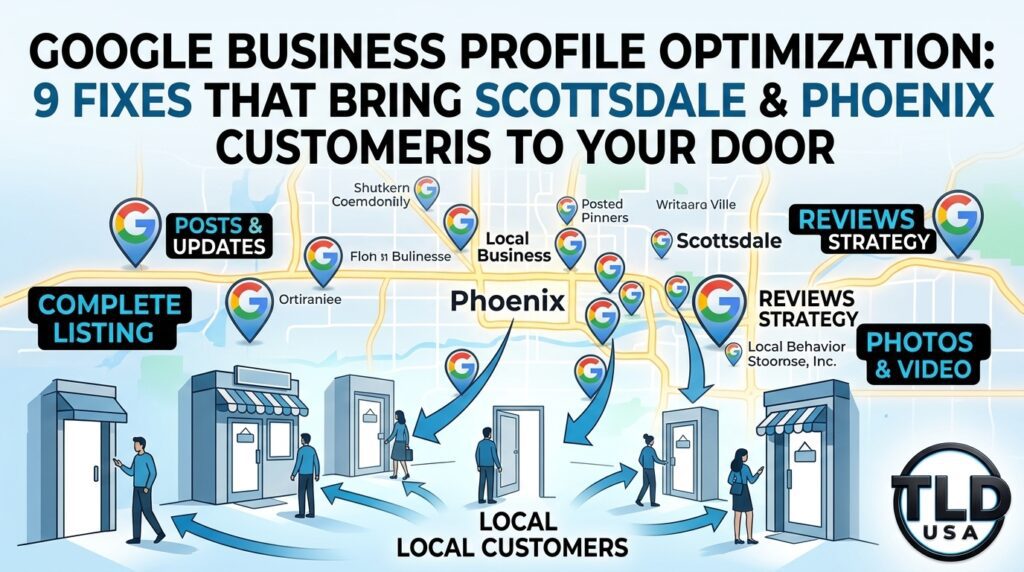
Google Business Profile Optimization diagram for Scottsdale and Phoenix showing 9 fixes that bring local customers through your door.

Someone in Scottsdale needs an accountant today.

They pick up their phone and search.

Google shows a map with three businesses, and those three get most of the calls. Is yours one of them?

That map is called the “map pack,” and your Google Business Profile decides who appears in it. For many local searches, this profile is the first thing a customer sees. Consequently, it can matter even more than your website. Fortunately, Google Business Profile optimization is something any owner can start today. This guide walks through 9 practical fixes for Scottsdale and Phoenix small businesses. Along with that, you will get a quick self-check and a weekly routine.

What Is a Google Business Profile, and Why Does It Matter?

A Google Business Profile is the free listing that appears when people search for your business on Google Search and Google Maps.

It shows your name, hours, phone number, photos, reviews, and website link. In addition, it lets customers call you or get directions with one tap.

Local search is competitive across the Valley. Scottsdale, Phoenix, Tempe, Mesa, Chandler, and Gilbert all have dense clusters of businesses in every trade. As a result, “near me” searches often favor the businesses with the most complete and active profiles. Your website still matters. However, the profile is where many customers make up their minds before they ever click through.

9 Google Business Profile Optimization Fixes

1. Claim and Verify Your Profile

First, make sure you own your listing. An unclaimed profile lets others suggest edits, so Google may show wrong hours or the wrong phone number. Search your business name, then follow the prompts to claim and verify it.

Use your real-world business name exactly as it appears on your signage and paperwork. Adding extra keywords or city names to the name field breaks Google’s rules. Therefore, keyword stuffing in your name can get your profile suspended.

2. Choose the Right Primary Category

Your primary category tells Google what you do. It carries more weight than almost any other field. Pick the most specific option that describes your core business. For instance, “Accountant” is stronger than a broad label like “Financial Service” if accounting is your main work.

Next, add secondary categories for other services you truly offer. Google allows up to nine. Be honest here, though. Categories that don’t match your website, photos, and reviews can work against you.

3. Keep Your Name, Address, and Phone Number Consistent

Google compares your details across your profile, website, and online directories. When they disagree, trust drops. So, match everything exactly, including your name, address format, phone number, and website link.

If you serve customers at their locations, set up a service area instead of showing your home address. Then list the cities you cover, such as Scottsdale, Phoenix, Tempe, and Mesa.

4. Write a Clear Business Description

You get 750 characters. Use them to explain what you do, who you serve, and where you work. Put the most important facts first and write in plain language. Also, skip links and hype like “best in town,” because Google’s guidelines prohibit promotional claims in this field.

5. List Every Service With a Short Description

Services give Google and customers specifics. List each service you offer and add one or two sentences about each one. Furthermore, if your pricing is straightforward, include it. Clear pricing builds trust and attracts serious customers. When pricing depends on a consultation, leave the price blank and explain the service instead.

6. Upload Real Photos

Photos prove you are a real, active business. Add an exterior shot, a few interior shots, a team photo, and pictures of your work. Real photos beat stock images every time. Likewise, avoid AI-generated images, since they set unrealistic expectations for customers.

Add a few new photos each month to keep the profile fresh. In short, a handful of clear, well-lit photos does more than dozens of blurry ones.

7. Earn Reviews, Then Answer Every One

Reviews influence both rankings and buying decisions. Ask happy customers to leave one right after you finish the job, and send them a direct link. Never buy reviews, and never filter who you ask based on how they feel. Both practices can get reviews removed and your profile penalized.

Reply to every review, good or bad. Thank happy customers by name. For a critical review, respond calmly, address the issue, and offer to talk offline. Because future customers read your replies, they show how you handle problems.

8. Post Updates Every Week

Posts show that your business is active. Share a recent project, a helpful tip, a seasonal reminder, or a service update. Keep them informative and specific. A few sentences and one good photo are enough. Most important, stay consistent, since a weekly post beats a burst of five followed by months of silence.

9. Add Links and Track Your Results

Link your website, booking page, and social profiles so customers can act right away. Then, watch the performance data inside your profile. Look at calls, direction requests, and website clicks. Over time, these numbers show which changes work. If calls rise after you add services and photos, keep going. If nothing moves, adjust your approach.

Weak Profile vs. Strong Profile

ElementWeak ProfileStrong Profile
CategoryBroad or mismatchedSpecific primary, honest secondaries
Contact detailsDiffer from websiteIdentical everywhere
DescriptionBlank or hype-filledClear, factual, 750 characters used
ServicesMissingListed with short descriptions
PhotosNone or stockReal, recent, varied
ReviewsUnansweredReplied to, steady flow
ActivitySilent for monthsWeekly posts and updates

Common Mistakes That Hurt Visibility

As you clean up your profile, watch out for these problems, since they can lower your ranking or trigger a suspension:

  • Stuffing keywords into the business name
  • Using a virtual office or P.O. box as your address
  • Buying or faking reviews
  • Picking categories that don’t match your business
  • Ignoring wrong information that others suggest
  • Letting the profile sit untouched for months

A 30-Minute Weekly Routine

Small, steady effort beats one big cleanup. Because of that, block this time on your calendar each week:

  1. Check for unwanted edits and fix anything inaccurate
  2. Reply to new reviews
  3. Publish one post
  4. Add two to five fresh photos
  5. Review your calls and direction requests

Quick Self-Check: Is Your Profile Working for You?

Answer yes or no to each item:

  • Is my profile claimed and verified?
  • Does my business name match my signage exactly?
  • Is my primary category the most specific option I can choose?
  • Are my hours accurate, including holidays?
  • Can customers see each service with a short description?
  • Have I added real photos recently?
  • Did I reply to every review?
  • Has it been less than two weeks since my last post?
  • Do my profile and website show identical contact details?

Scoring: If you answered no to three or more items, your profile is likely losing customers to competitors.

Why Scottsdale and Phoenix Owners Hire Help With Their Profiles

Maintaining a profile takes steady effort. Meanwhile, you are busy running a business. That is why many owners hand it off. At TLD USA, we manage Google Business Profiles for owner-operated businesses across Scottsdale, Phoenix, and the greater Valley. We also connect the profile to the rest of your marketing:

  • Google Business Profile management and local SEO
  • Web design and development built for speed and mobile
  • Social media management
  • CRM setup and automation so leads get a fast follow-up
  • Cybersecurity, email security, and fractional IT support, starting at $250 per month

Because your profile and website work together, we look at both. Consequently, the fixes support each other instead of pulling in different directions.

Find Out What Your Profile Is Missing

Ready to see where you stand? Let’s look at it together. Afterward, we will give you a clear list of fixes and tell you plainly what to do first.

Call us at (623) 282-2114, or book a free 30-minute call at a time that suits you.

Social Media Strategy for Small Businesses (2026 Guide): Step-by-Step System That Drives Real Growth

DIY Website vs. Professional Web Design: What Your Business Is Really Paying For

Scottsdale and Phoenix small business owner comparing a DIY website with a professional web design
Is your website built to bring in customers?

You built your website yourself, and it looks clean. It cost only a few hundred dollars a year. Even so, your phone stays quiet. So why is that happening?

Many Scottsdale and Phoenix business owners ask this exact question. In most cases, the platform is not the problem. Instead, the answer sits behind the design. This guide breaks down the real difference in a DIY website vs. professional web design decision. Along with that, you will see how to tell if your site is working or just sitting there.

Why So Many Scottsdale and Phoenix Businesses Start With a DIY Website

DIY builders solve a real problem. They are fast, cheap, and easy to start. For example, Wix, Squarespace, and GoDaddy let you launch in a weekend. That is a smart move when you are opening a new business.

However, launching a site and winning customers are two different jobs. A DIY site handles the first job. On its own, it does not handle the second one.

DIY Builders Are Not the Problem

Let’s be clear. A site built on Wix or Squarespace can work well. In fact, plenty do. Still, the real problem is the missing strategy. Most DIY sites are built once and never tuned. Meanwhile, your competitors keep improving theirs.

7 Gaps That Cost DIY Websites Customers

Most owner-built sites share the same weak spots. As you read, check your own site against this list.

1. No Local SEO Foundation

Scottsdale and Phoenix are crowded markets. Every service category has dozens of competitors. Therefore, Google needs clear signals to know where you work and what you do.

DIY sites often skip these signals. Common misses include:

  • Generic page titles like “Home” or “Services”
  • A lack of city or neighborhood terms in your content
  • Missing local business schema
  • One “Services” page instead of a page for each service

As a result, you do not show up when someone searches for a Phoenix plumber or a Scottsdale accountant.

2. An Unclaimed or Neglected Google Business Profile

Your website and your Google Business Profile work as a team. In fact, many local customers find you on the map before they ever see your site. Consequently, old photos, missing posts, or incomplete categories on your profile cost you those customers.

Ideally, your site should also match your profile exactly. Your name, address, and phone number must be identical in both places.

3. Slow Page Speed

Phones dominate local search. Because of that, a visitor standing in a parking lot will not wait for a heavy page. Large uncompressed images are the most common cause, while too many apps and plugins come second. Slow pages hurt you twice, since visitors leave and Google notices.

4. Weak Mobile Experience

Your site may look great on your laptop. However, the view on your phone can tell a different story. Tiny buttons, hard-to-read text, and forms that are painful to fill out all push people away.

5. No Clear Path to Contact You

Ask yourself one question. What should a visitor do in the first five seconds? If the answer is unclear, they will leave. By contrast, a working site includes:

  • A visible, tap-to-call phone number on mobile
  • Booking or contact buttons on every page
  • A short form that asks for only what you need
  • Trust signals like reviews, licenses, and real photos

6. Thin or Copied Content

Many DIY sites use template text. Some pages hold only two or three sentences. As a result, Google has little to work with, and customers learn nothing about why they should pick you.

Strong content answers real questions. For instance, it names your city, explains your process, and shows proof that you know your trade.

7. Security and Email Gaps

Here is the gap most owners never see. A site with no security setup is a risk. In addition, email sent from your domain without proper authentication can land in spam or be spoofed by scammers. Your business email is part of your brand, so if clients do not receive your quotes, you lose sales without knowing it.

DIY Website vs. Professional Web Design: A Side-by-Side Look

FactorTypical DIY SiteProfessionally Built Site
Upfront costLowHigher
Local SEO setupBasic or missingBuilt in from day one
Page speed tuningDefault settingsOptimized and tested
Lead captureSimple contact formForms tied to a CRM and follow-up
Security and emailRarely addressedConfigured and monitored
Ongoing supportYou handle itSomeone watches it for you
StrategyNoneMatched to your customers and market

Notice the pattern. DIY saves money on day one. In contrast, professional design pays off over the following months and years.

The Hidden Cost of “Free” Time

Your time has a price. For example, every hour spent fixing a broken page is an hour not spent serving customers. To see the impact, consider what you earn per hour in your business. Then, count the hours you spend on your website each month.

In addition, weigh the cost of lost leads. If your site misses even a few customers a month, that revenue adds up fast. Because those visitors leave without a trace, you never see them.

When a DIY Website Is Still the Right Choice

We believe in honest advice. Therefore, we will say plainly that DIY may fit you if:

  • You are pre-revenue and testing an idea
  • Referrals bring in all of your customers
  • Learning the tools sounds like a good use of your time

If that sounds like you, keep going. Later on, plan an upgrade for when growth becomes the goal.

When It Is Time to Bring in a Professional

Consider help if any of these are true:

  • Google is your main source of new customers, yet you rarely appear in results
  • Your site gets visits, but few calls or form fills
  • Site speed, rankings, and lead sources are a mystery to you
  • Fixing the site has been on your to-do list for months
  • Security or email problems worry you

Quick Self-Check: Is Your Website Working for You?

Answer yes or no to each item:

  • Does my site load in under three seconds on my phone?
  • Can a visitor call or book in one tap?
  • Does each service have its own page with local terms?
  • Is my Google Business Profile an exact match for my site?
  • Are recent reviews displayed on the site?
  • Is my domain email set up so messages reach inboxes?
  • Do I know how many leads my site produced last month?

Scoring: If you answered no to three or more items, your site is likely leaving money on the table.

What a Professional Website Setup Includes

At TLD USA, we build sites for owner-operated businesses across Scottsdale, Phoenix, and the greater Valley. Our approach covers the full picture:

  • Web design and development built for speed and mobile
  • Local SEO and Google Business Profile management
  • CRM setup and automation so no lead slips away
  • Cybersecurity and email security that protect your brand
  • Fractional IT support, starting at $250 per month

Furthermore, we work with the platform you already have. You do not always need a rebuild. Instead, a focused fix on your current Wix, Squarespace, or GoDaddy site sometimes delivers the biggest win.

Get a Straight Answer About Your Website

Not sure where your site stands? Let’s look at it together. Afterward, we will point out the gaps and tell you plainly what is worth fixing.

Call us at (623) 282-2114, or book a free 30-minute call at a time that suits you.

Website Redesign Cost: What You’ll Actually Pay in 2026

Graphic illustrating 2026 website redesign costs with digital agency analytics and wireframes for TLD USA.

Website Redesign Cost: What You’ll Actually Pay in 2026

Your website looks dated.

It loads slowly.

Maybe it doesn’t even work right on a phone anymore.

You know a redesign is coming, but every quote you’ve gotten so far lands in a wildly different range. Understanding website redesign cost, and exactly what drives that number up or down, makes it far easier to budget correctly and spot a fair quote when you see one.

Quick answer: A website redesign typically costs between $2,000 and $15,000 for a small to mid-sized business, depending on the number of pages, custom functionality, and whether content and photography need to be created from scratch. Simple redesigns on an existing content foundation land toward the lower end. Custom builds with e-commerce, booking systems, or advanced integrations push costs toward the higher end.

Table of Contents

  • Signs It’s Actually Time for a Redesign
  • Typical Website Redesign Pricing by Scope
  • What Actually Drives the Cost Up or Down
  • How to Evaluate a Redesign Quote
  • Red Flags in Redesign Pricing
  • Is a Redesign Worth the Investment?
  • How TLD USA’s Pricing Model Compares
  • A Simple Next Step
  • Frequently Asked Questions

Signs It’s Actually Time for a Redesign

Not every website needs a full redesign. Sometimes targeted fixes solve the real problem. A few clear signs point toward a genuine rebuild rather than a patch job.

Your site looks visibly outdated compared to competitors.

Design trends shift, and a site that looked current five years ago often reads as dated the moment a visitor compares it to a competitor’s site.

Mobile performance is genuinely broken, not just imperfect.

If pages don’t load correctly, buttons overlap text, or navigation doesn’t work on a phone, that’s a rebuild issue, not a minor tweak.

Your platform can’t support what your business needs now.

A site built years ago on an outdated platform often can’t handle a booking system, e-commerce, or other functionality your business has since grown into needing.

Page speed is consistently slow no matter what gets adjusted.

Sometimes underlying code or an outdated theme creates a speed ceiling that small fixes can’t break through.

You’re embarrassed to send people to your own website.

This one is subjective, but it matters. A website that doesn’t reflect how your business actually operates today creates a real mismatch with the experience customers expect.

Typical Website Redesign Pricing by Scope

Project TypeTypical Cost RangeWhat’s Usually Included
Simple Redesign$2,000 – $4,500Refreshed design on existing content, 5-8 pages
Standard Business Redesign$4,500 – $8,000New design, content updates, SEO foundation, 8-15 pages
Custom or E-Commerce Redesign$8,000 – $15,000+Custom functionality, online store, booking systems, integrations
Ongoing Hourly Adjustments$100 – $250/hourSmaller changes outside a full redesign scope

These ranges reflect typical small business projects. Highly complex builds with extensive custom development can run higher depending on scope.

What Actually Drives the Cost Up or Down

Number of pages and content complexity.

A five-page site costs meaningfully less to design and build than a fifteen-page site with multiple service areas or locations.

Whether content and photography already exist.

Writing new copy and sourcing professional photography from scratch adds real cost. Reusing and refining existing content keeps the budget lower.

Custom functionality requirements.

Booking systems, membership portals, e-commerce, or custom integrations with a CRM all add development time and cost beyond a standard informational website.

SEO and technical setup depth.

A redesign that includes proper technical SEO, page speed optimization, and mobile testing costs more upfront but avoids expensive rework later.

Platform choice.

Building on an open, flexible platform like WordPress sometimes costs more initially than a page-builder tool, but it avoids long-term limitations and lock-in that often force a second redesign sooner than expected.

How to Evaluate a Redesign Quote

Ask for an itemized breakdown, not just one total number.

A fair quote separates design, development, content, and SEO setup so you can see exactly where your budget goes.

Confirm what happens after launch.

Ask whether basic support or a short adjustment period is included, or whether every post-launch change gets billed separately from day one.

Check whether the quote includes mobile optimization and speed testing.

These shouldn’t be treated as optional add-ons on a modern website redesign.

Ask how many rounds of revisions are included.

Unlimited revisions sound appealing but often signal a vague scope that leads to a longer, more expensive project than expected.

For a deeper look at evaluating who actually builds the site, our guide on how to choose a web design agency covers the full vetting process step by step.

Red Flags in Redesign Pricing

  • A quote given before any real discussion of your goals or current site
  • No breakdown between design, development, content, and SEO
  • Extremely low pricing with no explanation of what’s excluded
  • No clear answer about mobile optimization or page speed
  • Pressure to decide immediately with a limited-time discount

Is a Redesign Worth the Investment?

A redesign pays for itself when it directly improves what your website is supposed to do: convert visitors into calls, bookings, or sales. A faster, mobile-friendly, well-structured site typically sees meaningfully better conversion rates than an outdated one, even before accounting for the SEO benefits of a properly built foundation.

That said, a redesign only delivers real return when it’s paired with a plan for driving traffic to the new site. A beautiful redesign with no local SEO strategy behind it often underperforms compared to a simpler site backed by consistent visibility efforts. Our guide on building a complete local business online presence covers how a redesign fits into that bigger picture.

How TLD USA’s Pricing Model Compares

Most of the ranges above assume the traditional model: one big project, one big invoice, paid upfront or in two or three large chunks. That structure works fine if your budget can absorb it all at once. It works less well if you’re a growing business trying to redesign a site without draining cash flow in a single month.

TLD USA takes a different approach. Every project is billed at a transparent, published hourly rate of $125, broken down clearly so you see exactly what you’re paying for, rather than one opaque flat number. On top of that, redesign work doesn’t have to happen as one large, all-at-once expense. Through a fractional model starting at $250 a month, you can pace a redesign, and ongoing site improvements after it, across a schedule that actually fits your budget and your timeline, instead of committing to a lump sum before work even begins.

That flexibility matters most for businesses that know they need a redesign but don’t want to choose between doing it right and doing it all at once. Spacing the work out doesn’t mean spacing out the quality. It means the project moves at a pace your business can actually sustain.

A Simple Next Step

Understanding real website redesign costs upfront makes budgeting far easier and helps you recognize a fair quote versus one that’s underpriced, overpriced, or vague about scope.

Book a time to get a clear, honest quote for your website redesign: calendly.com/tldusa480/30min

Frequently Asked Questions

How much does a basic website redesign cost?

A simple redesign on an existing content foundation typically costs between $2,000 and $4,500, depending on the number of pages and complexity.

Why do website redesign quotes vary so much between agencies?

Pricing differences usually come down to scope. Some quotes only cover design, while others include content creation, SEO setup, and post-launch support, which significantly affects the total cost.

Do I need to redesign my whole website, or can I just fix specific pages?

Not always. If your core structure and platform still work well, targeted updates to specific pages can address the problem without the cost of a full redesign.

How long does a website redesign take?

Most standard redesigns take a few weeks from kickoff to launch, depending on how quickly content, feedback, and approvals come back during the process.

Should I expect to pay more for SEO as part of a redesign?

A redesign that includes proper technical SEO and mobile optimization from the start typically costs more upfront but avoids expensive rework later to fix issues a rushed redesign often creates.

Final Thoughts

Website redesign cost varies for real, identifiable reasons, and understanding those reasons makes it far easier to budget accurately and evaluate whether a quote actually reflects the scope of work your business needs. A redesign done right pays for itself through better conversion, stronger SEO, and a site that finally matches how your business actually operates today.

TLD USA builds custom WordPress website redesigns for Phoenix and Scottsdale business owners with transparent, itemized pricing from the very first conversation.

Call (623) 282-2114 or book a time directly: calendly.com/tldusa480/30min

Missing Calls = Missing Customers: How Phoenix Small Businesses Can Stop Losing Leads

Missed calls at Phoenix small businesses can lead to lost customers

You worked hard to get the phone to ring.

Paid for the website. Worked on your Google Business Profile. You may be running SEO, advertising, social media or referrals.

Then a potential customer calls while you’re on a job, helping another customer, driving, in a meeting or simply away from your phone.

They leave a voicemail.

Or they don’t.

You plan to call them back.

Then the day gets away from you.

By the time you call, they’ve already contacted someone else.

For many small businesses, the problem isn’t generating another lead.

The problem is what happens after the lead arrives.

Quick answer: If your business regularly misses calls, takes hours to respond to website inquiries, or relies on memory to follow up with prospects, you may have a lead-management problem rather than a lead-generation problem. A properly connected website, phone system, CRM and automation workflow can help make sure legitimate inquiries are captured, acknowledged and followed up with.

Recent small-business discussions have repeatedly focused on this exact problem: missed calls, slow responses, after-hours inquiries, forgotten follow-ups and owners being too busy serving customers to manage every incoming lead.

For Phoenix and Scottsdale businesses, this matters because the customer who just searched for a service often has several options available to them.

You may only get one opportunity to respond.

Table of Contents

  • Why Small Businesses Miss Good Leads
  • The Problem With Relying on Voicemail
  • What Happens When a Website Lead Comes In
  • Why Speed Matters Without Chasing Every Lead
  • Missed-Call Text Back: A Simple First Step
  • What After-Hours Leads Should Trigger
  • How a CRM Prevents Leads From Disappearing
  • Where AI Can Actually Help
  • Why Your Website and CRM Need to Work Together
  • What Your Lead Process Should Look Like
  • When Fractional IT Makes Sense
  • A Simple Lead-Leak Test
  • A Simple Next Step
  • Frequently Asked Questions
  • Final Thoughts

Why Small Businesses Miss Good Leads

Most small businesses aren’t intentionally ignoring customers.

They’re busy.

A plumber is on a job.

A transmission shop is working on a vehicle.

A contractor is walking a property.

A salon owner is with a client.

A medical office is helping patients.

A law firm is dealing with an existing case.

A real estate professional is showing a property.

The business is doing exactly what it is supposed to do: serving customers.

The problem is that the phone doesn’t care what you’re doing.

Neither does the website.

Nor does the contact form.

Neither does the person who just searched Google for your service.

That creates a dangerous disconnect.

Your marketing can generate the opportunity, but your operational systems have to capture it.

The Problem With Relying on Voicemail

Voicemail isn’t useless.

It is simply not a complete lead-management system.

When someone calls a local business and gets voicemail, several things can happen.

They might leave a message.

Probably might hang up.

They might send a text instead.

Might visit another website.

They might call your competitor.

They might decide to deal with the problem later and forget about it entirely.

The business owner usually has no idea which outcome occurred.

That makes missed calls difficult to measure.

A better system treats an unanswered call as an event that requires action.

For example:

Incoming call → missed → automatic acknowledgment → lead captured → follow-up assigned → customer contacted → outcome recorded

That is very different from:

Incoming call → voicemail → remember to call back

One is a process.

The other depends on memory.

What Happens When a Website Lead Comes In?

The same problem happens with website forms.

A potential customer fills out your contact form.

What happens next?

Does the form go to one employee’s email?

Does someone receive a text?

Is the lead entered into your CRM?

Does the customer receive an immediate acknowledgment?

Does someone know who is responsible for the follow-up?

Can you tell whether that person ever contacted the prospect?

Does the lead remain visible until it is closed?

If the answer to several of those questions is “no,” your website may be generating opportunities that your business isn’t equipped to manage.

That’s an important distinction.

Your website may not need more traffic. It may need a better system behind it.

Why Speed Matters Without Chasing Every Lead

Not every phone call is a customer.

Just like not every form submission is legitimate.

Not every inquiry deserves an immediate sales response.

That doesn’t mean every legitimate lead should be treated casually.

A good lead-management system separates the two.

Instead of trying to personally respond to everything immediately, the system can help identify what needs attention.

For example:

  • New website inquiry
  • Missed customer call
  • Existing customer request
  • Spam inquiry
  • Quote request
  • Appointment request
  • Emergency service request
  • General question
  • Follow-up waiting on customer

The goal isn’t to automate your entire business.

The goal is to make sure important opportunities don’t disappear because everyone was busy.

Missed-Call Text Back: A Simple First Step

One of the simplest ways to improve a missed-call process is an automatic text response.

For example:

“Sorry we missed your call. We’re currently helping another customer. Reply here with what you need and we’ll get back to you.”

That message doesn’t replace your team.

It simply acknowledges the customer.

Tells them their call wasn’t ignored.

It gives them another way to communicate.

And, depending on the system, it can feed that conversation into the same lead-management process used for website inquiries.

However, businesses should not blindly turn on automated texting.

The messaging workflow, consent, opt-out handling and the type of message being sent matter. The FCC has specific rules concerning consent and revocation for certain automated calls and texts, including the ability for consumers to revoke consent through reasonable methods such as reply messages.

The technology should support your process—not create a compliance problem.

What Should Happen to After-Hours Leads?

Your business doesn’t have to be open 24 hours a day.

Your lead capture shouldn’t necessarily stop when you lock the door.

An after-hours system might:

  1. Capture the customer’s name.
  2. Capture their phone number.
  3. Identify what service they need.
  4. Provide basic information.
  5. Offer a scheduling option when appropriate.
  6. Notify your team.
  7. Create a follow-up task for the next business day.
  8. Record the interaction.

For some businesses, a simple form and automated acknowledgment are enough.

For others, an AI-assisted system or more advanced phone workflow may make sense.

The important part is matching the technology to the business.

You don’t need an expensive AI system just because AI exists.

How a CRM Prevents Leads From Disappearing

This is where a properly configured CRM becomes useful.

A CRM should not simply be a database containing hundreds of names.

It should show you what needs to happen next.

For example:

LeadSourceStatusNext Action
John SmithWebsiteNewCall
Sarah JonesGoogleContactedSend estimate
Mike BrownPhoneWaitingFollow up
Lisa DavisReferralAppointmentConfirm
Tom WilsonWebsiteClosedRequest review

Now your team doesn’t have to remember everything.

The system tells them.

A properly configured CRM can also connect the website, email, phone system, scheduling tools and other business applications so information doesn’t have to be manually copied from one place to another.

That becomes particularly valuable as a business grows.

Where AI Can Actually Help

AI can be useful in the lead process, but it shouldn’t be added simply because it is fashionable.

Useful applications can include:

  • Summarizing incoming inquiries
  • Categorizing leads
  • Identifying the service requested
  • Drafting an initial response
  • Summarizing phone conversations
  • Extracting contact information
  • Routing inquiries
  • Helping answer routine questions
  • Creating internal follow-up tasks
  • Identifying leads that haven’t received a response
  • Organizing information before a salesperson or owner responds

The human still needs to control important customer decisions.

AI can reduce repetitive work.

It should not become an excuse to remove judgment from the process.

Why Your Website and CRM Need to Work Together

A website should not operate as an isolated marketing asset.

If someone fills out a form, that inquiry should have somewhere to go.

A strong setup might look like this:

Google Search

Website

Lead Form

CRM

Instant Acknowledgment

Employee Notification

Follow-Up Task

Estimate / Appointment

Customer

Review / Repeat Business

That is a business system.

It also gives you something extremely valuable:

visibility.

Instead of wondering whether your marketing is working, you can start asking better questions.

How many leads came in?

Where did they come from?

In total how many were contacted?

How quickly?

How many booked?

What is the number that became customers?

How many are still waiting?

Where are leads getting stuck?

Those questions are far more useful than simply asking how many people visited your website.

What Your Lead Process Should Look Like

A practical small-business lead process doesn’t need to be complicated.

Step 1: Capture the lead

Every legitimate inquiry should enter a system.

That might be through:

  • Website forms
  • Phone calls
  • Text messages
  • Google Business Profile
  • Social media
  • Email
  • Online scheduling
  • Referral forms

Step 2: Acknowledge the inquiry

The customer should know their request was received.

This could be human or automated depending on the situation.

Step 3: Assign responsibility

Someone should own the lead.

Not “someone on the team.”

An actual person or clearly defined workflow.

Step 4: Follow up

The next action should be visible.

Call.

Email.

Text.

Schedule.

Send estimate.

Answer question.

Whatever the situation requires.

Step 5: Track the outcome

The lead should eventually have a status.

Booked.

Closed.

Lost.

Not qualified.

Waiting.

Follow-up required.

Without this step, your CRM eventually becomes another messy database.

When Fractional IT Makes Sense

This is where many small businesses run into a wall.

The problem isn’t necessarily that they need an IT department.

They need someone who understands how the pieces fit together.

The website needs to connect to the CRM.

The CRM needs to connect to email.

The phone system needs to work with the lead process.

The business needs secure accounts.

Employees need appropriate access.

Automations need to work.

Backups need to exist.

Someone needs to know what happens when something breaks.

That is where Fractional IT can make sense.

Instead of hiring a full-time IT employee to manage a relatively small technology environment, a business can bring in professional technology support as needed.

For a growing Phoenix or Scottsdale business, that can mean having someone who understands the technology underneath the marketing—not just someone who fixes a computer when it stops working.

A Simple Lead-Leak Test

You can test your own business in about 15 minutes.

Call your business from a number nobody recognizes.

Don’t leave a voicemail immediately.

See what happens.

Then submit your website contact form.

Watch your inbox.

Now ask:

  • How long did it take to receive a response?
  • Did anyone receive the lead?
  • Did the lead enter a CRM?
  • Did anyone know who was responsible?
  • Did you receive an acknowledgment?
  • What happens if the inquiry arrives after hours?
  • What happens if the person doesn’t respond?
  • Does anyone follow up again?
  • Can you tell where the lead came from?
  • Can you see whether the lead became a customer?

Now try it after business hours.

That’s where many businesses discover the gap.

The Real Cost Isn’t the Missed Call

A missed call isn’t automatically a lost customer.

That’s important.

Some calls are spam.

Other callers have the wrong number.

Some people will call back.

Some inquiries simply aren’t a fit.

The real problem is having no system for knowing which is which.

If you spend money on SEO, advertising, social media or other marketing to generate demand, then allow legitimate inquiries to disappear because nobody had time to handle them, you’re creating an expensive leak.

Fixing that leak may be more valuable than immediately increasing your advertising budget.

TLD USA Can Help Connect the Pieces

TLD USA works with Phoenix, Scottsdale and Arizona small businesses on the technology and digital systems behind customer acquisition.

That can include:

  • Website design and development
  • Website maintenance
  • Local SEO
  • Google Business Profile support
  • Lead tracking
  • CRM setup
  • CRM automation
  • Website-to-CRM integration
  • Email and business technology
  • AI and business automation
  • Marketing tracking
  • Fractional IT support
  • Technology planning

The objective isn’t to add more software.

It’s to determine what your business actually needs, connect the systems that should communicate, and eliminate unnecessary manual work.

A Simple Next Step

If you’re already getting calls, website inquiries or referrals but aren’t confident that every legitimate opportunity is being captured and followed up with, start there.

Don’t automatically buy more advertising.

Audit the path from first contact to customer.

TLD USA can review your website, lead process, CRM, technology and marketing systems and identify where opportunities are getting lost.

Call 623-282-2114 or schedule a 30-minute strategy session at tldtechusa.com.

Frequently Asked Questions

How do I stop missing customer calls?

Start by identifying when and why calls are being missed. Then consider a business phone system, missed-call workflow, automated acknowledgment, call routing, scheduling system or CRM integration based on your actual needs.

What is a missed-call text-back?

A missed-call text-back is an automated message sent after an unanswered call. It can acknowledge the caller and provide another way to continue the conversation. Businesses should configure these systems with applicable messaging and consent requirements in mind.

Do small businesses need a CRM?

Not every business needs a complicated CRM. However, if leads are being tracked through memory, spreadsheets, scattered emails or text messages, a properly configured CRM can make follow-up much easier.

Should I use an AI receptionist?

It depends on the business. An AI receptionist may make sense when call volume, after-hours inquiries or repetitive questions are creating a real operational problem. It should be evaluated based on the customer experience and the actual workflow—not simply because it uses AI.

Can my website automatically send leads to my CRM?

Yes. Many websites and CRM platforms can be connected so that a form submission creates or updates a lead record, notifies the appropriate employee and triggers a defined follow-up process.

What if I already spend money on SEO?

SEO can help generate qualified traffic, but generating traffic is only part of the customer journey. If inquiries aren’t being captured, answered and followed up with consistently, improving the lead-management process may be necessary alongside SEO.

Can Fractional IT help with business automation?

Yes. Fractional IT can provide ongoing technical guidance and support for connected business systems, email, security, websites, automation, CRM infrastructure and other technology needs without requiring a full-time internal IT department.

Final Thoughts

Small businesses don’t lose customers only because competitors have better websites.

Sometimes they lose them because the owner was helping another customer when the phone rang.

Sometimes the form went to an inbox nobody checked.

Often times the quote was sent but never followed up.

Sometimes the customer called after hours and simply moved on.

Those aren’t necessarily marketing failures.

They’re system failures.

And systems can be fixed.

The goal isn’t to automate your business until it feels impersonal.

The goal is to make sure your team has the tools to respond when customers are ready to buy—even when you’re busy doing the work that makes your business successful.

TLD USAWebsites, SEO, IT Support and Fractional IT for Arizona businesses.

623-282-2114 | TLDTechUSA.com

How Much Does Local SEO Cost? A Real Pricing Guide

How much does local SEO cost for Phoenix and Scottsdale businesses

How Much Does Local SEO Cost? A Real Pricing Guide

Every local SEO quote seems to land in a different range.

One agency may quote $300 a month. Another may quote $3,000.

Both companies may call their service “local SEO.” However, the work behind those prices can be very different.

So, how much does local SEO cost?

The answer depends on several factors.

Local SEO can include website optimization, keyword research, Google Business Profile work, content, citations, technical SEO, reporting, and ongoing strategy.

Therefore, two businesses can receive completely different services while both receive a quote labeled “local SEO.”

Understanding the pricing models gives you a better way to compare those offers.

Quick answer: Local SEO pricing commonly ranges from several hundred dollars per month to several thousand dollars. Your actual cost depends on competition, location, website condition, service area, and scope. One-time audits and setup projects can also cost hundreds or several thousand dollars. Most importantly, compare the work behind the price.

Table of Contents

  • Why Local SEO Pricing Varies
  • Typical Local SEO Pricing Models
  • Local SEO Pricing Chart
  • What Actually Affects Your Cost
  • What You Should Get for Your Money
  • Red Flags in Local SEO Pricing
  • What Makes TLD USA Different
  • TLD USA SEO Starts at $750 Per Month
  • What 12 Dedicated SEO Hours Can Cover
  • How to Know If Your SEO Is Working
  • A Simple Next Step
  • Frequently Asked Questions
  • Final Thoughts

Why Local SEO Pricing Varies So Much

Local SEO is not one single task.

Instead, it combines several different services.

Those services may include:

  • Website optimization
  • Keyword research
  • Google Business Profile optimization
  • Local citations
  • Content development
  • Internal linking
  • Technical SEO
  • Local landing pages
  • Review strategy
  • Competitor research
  • Reporting
  • Ongoing strategy

Because the scope can vary, pricing can vary as well.

Your starting point matters, too.

For example, a business with a fast website, strong content, accurate business information, and an established Google Business Profile may need less foundational work.

On the other hand, an older website with technical problems may need significant cleanup first.

The market also matters.

A personal injury law firm competing across Phoenix may face intense competition.

Meanwhile, a specialized home service business targeting one suburb may have a different SEO challenge.

Similarly, a company targeting Phoenix, Scottsdale, Tempe, Mesa, Chandler, and Gilbert needs a broader strategy than a company serving one community.

As a result, a simple price comparison does not tell the entire story.

You need to compare the scope of work behind the price.


Typical Local SEO Pricing Models

Here are common pricing models you may encounter when comparing SEO agencies, consultants, and service providers.

Pricing ModelTypical CostMonthly Support
Monthly SEO Retainer$300 – $2,500/monthYes
One-Time SEO Audit$500 – $1,500No
Project-Based SEO Setup$1,000 – $5,000No
Hourly SEO Consulting$100 – $250/hourNo

These ranges are general market examples.

Actual pricing varies by provider, location, competition, experience, and scope.

Monthly SEO Retainer

A monthly retainer provides ongoing SEO work.

Depending on the provider, that work may include website optimization, local SEO, Google Business Profile management, content, reporting, technical improvements, and strategy.

However, the amount of actual work can differ significantly between providers.

That is why the monthly price alone does not tell you enough.

One-Time SEO Audit

An SEO audit examines your current website and local search presence.

For example, an audit may identify technical problems, keyword opportunities, content gaps, citation issues, Google Business Profile problems, and competitor opportunities.

The audit gives you information.

However, implementation may require a separate project or ongoing service.

Project-Based SEO Setup

A project-based service establishes the foundation for an SEO campaign.

That work may include technical fixes, keyword research, website optimization, Google Business Profile optimization, local landing pages, citations, schema, and other foundational improvements.

Once the project ends, ongoing SEO may require a separate agreement.

Hourly SEO Consulting

Hourly consulting can work well for specific questions, technical problems, strategy sessions, or individual SEO tasks.

For example, a business may need help fixing a technical issue or understanding a sudden ranking change.

However, hourly consulting does not automatically provide ongoing SEO management.


Local SEO Pricing Chart

The chart below gives you a simple visual comparison of common SEO pricing models.

LOCAL SEO PRICING SPECTRUM

$300                 $750                 $1,500                 $2,500+
│---------------------│---------------------│----------------------│
Monthly SEO           Monthly SEO          Expanded SEO           Extensive
Retainer              Retainer             Management              SEO Campaign
│                     │                     │                      │
Ongoing Support       Ongoing Support      Ongoing Support        Ongoing Support


ONE-TIME SERVICES

$500 ───────────── $1,500
One-Time SEO Audit
Monthly Support: NO


$1,000 ───────────────────────────── $5,000
Project-Based SEO Setup
Monthly Support: NO


$100 ─────────────── $250/hour
Hourly SEO Consulting
Monthly Support: NO

The chart represents general pricing examples.

It does not mean every agency uses these exact numbers.

More importantly, price does not tell you how much professional work you receive.

That distinction becomes especially important when comparing monthly SEO services.


What Actually Affects Your Local SEO Cost?

1. Industry and City Competition

Competition plays a major role in local SEO pricing.

For example, a competitive legal market can require substantial ongoing work.

Likewise, popular service categories in Phoenix and Scottsdale can have many businesses competing for the same searches.

In contrast, a specialized business in a smaller market may face fewer competitors.

Therefore, your SEO plan should account for the actual search environment.

2. The Current State of Your Website

Your website provides the foundation for SEO.

If the site has technical problems, slow pages, weak content, broken links, or poor mobile performance, those issues may need attention first.

Once the foundation improves, ongoing SEO can focus more heavily on visibility and growth.

3. Number of Locations and Service Areas

One service area is very different from ten.

For example, a company targeting Scottsdale has a different local SEO scope than a company targeting multiple Phoenix Valley communities.

Each additional market can require more research, content, optimization, and competitive analysis.

As a result, a larger service area can increase the amount of SEO work required.

4. Content Requirements

Content can support local SEO in several ways.

It can target services, locations, customer questions, industry topics, and long-tail searches.

However, useful content takes time to research and produce.

A business with hundreds of strong pages has a different starting point than a business with five basic pages.

5. Citation and Directory Work

Your business information should remain accurate across relevant directories.

That includes your:

  • Business name
  • Address
  • Phone number
  • Website
  • Services
  • Business categories

If that information is inconsistent, additional cleanup may become necessary.

6. Reviews and Reputation

Reviews can also affect the overall local search strategy.

Some SEO providers include review strategy within their services.

Others treat reputation management as a separate service.

Therefore, ask what is included before comparing prices.


What You Should Get for Your Money

Before signing an SEO agreement, ask exactly what the provider will do, and remember we have no contracts here at TLD USA.

Depending on the plan, you may expect services such as:

  • Google Business Profile optimization
  • Google Business Profile posts and updates
  • Local keyword research
  • On-page website optimization
  • Technical SEO
  • Local landing page optimization
  • Internal linking
  • Citation and directory management
  • Competitor research
  • Content strategy
  • Schema markup
  • Local search monitoring
  • SEO reporting
  • Conversion tracking
  • Ongoing strategy

You should also know who performs the work.

Furthermore, you should understand how often that work happens.

A monthly SEO fee should never feel like a mystery charge.

Instead, you should know what work is being completed and why.


Red Flags in Local SEO Pricing

Guaranteed Number-One Rankings

No SEO provider controls the search results.

Search algorithms change.

Competitors also change their strategies.

For that reason, be cautious about anyone who guarantees a specific ranking position.

Extremely Cheap Full-Service Packages

A very low monthly price can sound attractive.

However, ask what actual work the price covers.

If the provider cannot explain the work, reporting, or strategy, you may not be comparing equivalent services.

No Reporting

You should know what is happening with your SEO.

Useful measurements can include:

  • Keyword visibility
  • Local search visibility
  • Organic traffic
  • Website leads
  • Phone calls
  • Google Business Profile activity
  • Direction requests
  • Conversion activity

Without meaningful reporting, it becomes difficult to understand your progress.

Long-Term Contracts With No Clear Explanation

Some businesses prefer month-to-month SEO.

Others choose longer engagements.

Either way, understand the commitment before signing.

Ask about cancellation terms, deliverables, reporting, and ongoing responsibilities.

One-Size-Fits-All SEO

Your business is different from your competitor.

Every website is different.

Your service area is different.

Your customers are different.

Consequently, your SEO strategy should account for those differences.


What Makes TLD USA Different?

This is where TLD USA takes a different approach.

Rather than forcing every business into a large SEO package, TLD USA uses a dedicated-work model.

The concept is straightforward.

You receive dedicated professional SEO time each month.

Then, that time can focus on the priorities your business actually needs.

Those priorities can include:

  • Technical SEO
  • On-page SEO
  • Keyword research
  • Local SEO
  • Google Business Profile optimization
  • Content strategy
  • Internal linking
  • Schema markup
  • Image SEO
  • Citation work
  • Competitor research
  • SEO reporting
  • Website improvements
  • Local landing pages
  • Search visibility strategy

As priorities change, the work can change with them.

For example, one month may require technical cleanup.

The next month may require more content optimization.

Later, the focus may shift toward local pages, Google Business Profile optimization, internal linking, or competitor research.

That flexibility is a major part of the model.


TLD USA SEO Starts at $750 Per Month

TLD USA SEO starts at $750 per month.

The starting plan includes 12 dedicated hours each month specifically for SEO work.

That gives you a straightforward way to understand what the monthly fee provides.

You are not simply paying for access to an SEO dashboard.

Instead, you receive dedicated professional time that can be directed toward your SEO priorities.

Those hours can support work such as:

  • Technical SEO
  • Local SEO
  • Keyword research
  • Google Business Profile optimization
  • Content optimization
  • Internal linking
  • Schema
  • Image SEO
  • Citation work
  • Competitor research
  • SEO reporting
  • Strategy

The exact allocation depends on your website and current priorities.

As a result, the work can evolve as your SEO needs change.


What Does 12 Dedicated SEO Hours Actually Mean?

Twelve hours per month equals approximately three dedicated SEO hours each week.

That gives you a simple way to understand the model.

Instead of purchasing an oversized package, you receive a defined block of professional SEO time.

Then, that time can be applied where it matters most.

For example, a technical problem may require immediate attention.

Later, the same business may need new location content.

Another month may call for internal linking, Google Business Profile optimization, or competitor research.

The available time remains dedicated to SEO.

The priorities can change.


What Can TLD USA Do With 12 Dedicated SEO Hours?

The exact allocation depends on your business.

However, the hours can be used for a wide range of SEO work.

Technical SEO

  • Website technical review
  • Indexing issues
  • Broken links
  • Redirects
  • Metadata
  • Page structure
  • Internal linking
  • Technical cleanup

Local SEO

  • Local keyword research
  • Location targeting
  • Local landing pages
  • Local search strategy
  • Competitive research
  • Citation opportunities

Google Business Profile

  • Profile optimization
  • Category review
  • Services
  • Business description
  • Posts
  • Local keyword strategy
  • Photo optimization
  • Review strategy

Website Content

  • Existing page optimization
  • Service-page optimization
  • Location-page optimization
  • Blog optimization
  • Search-intent improvements
  • Content recommendations

Schema and Structured Data

  • Business schema
  • Service schema
  • Article schema
  • Structured data review
  • Entity information

SEO Reporting

  • Keyword visibility
  • Search traffic
  • Local visibility
  • Website activity
  • Leads
  • Calls
  • Conversion data

The goal is not to create a report simply for the sake of reporting.

Instead, the goal is to understand what is happening and determine what should happen next.


Why TLD USA Uses a Fractional SEO Model

Hiring a full-time SEO professional can be expensive.

Hiring several specialists can cost even more.

For many small businesses, a full internal SEO department does not make financial sense.

That is where fractional professional support can help.

TLD USA provides access to dedicated professional SEO time without requiring you to hire a full-time SEO employee.

You receive a defined amount of professional work each month.

Then, that work can focus on your current priorities.

This model can also work well for businesses that already have employees handling some marketing tasks.

Your team can handle the work they know.

TLD USA can provide additional technical and strategic SEO support where needed.


TLD USA SEO vs. a Traditional Monthly SEO Package

The difference is not simply the monthly price.

Instead, the difference is how the work gets structured.

Traditional Monthly SEO PackageTLD USA SEO
PricingVaries by providerStarts at $750/month
Dedicated SEO HoursVaries12 hours/month
Work AllocationOften package-basedDedicated time based on priorities
Technical SEODepends on packageIncluded within dedicated SEO work
Local SEODepends on packageIncluded within dedicated SEO work
Google Business ProfileDepends on packageIncluded within dedicated SEO work
Content OptimizationDepends on packageIncluded within dedicated SEO work
ReportingDepends on providerIncluded with ongoing SEO management
StrategyDepends on providerOngoing
Contract TermsDepends on providerDiscuss current terms

This comparison does not mean every traditional SEO package is bad.

There are many different SEO providers and service models.

Instead, the important point is simple:

Understand exactly what you are paying for.


How to Know If Your Local SEO Is Working

SEO does not normally produce overnight results.

Instead, meaningful movement can take months.

Competitive markets may take longer.

Your starting point also matters.

Even so, you should see measurable signs of progress.

Look at:

  • Local search visibility
  • Target keyword movement
  • Organic website traffic
  • Google Business Profile activity
  • Phone calls
  • Website inquiries
  • Contact-form submissions
  • Direction requests
  • Conversion activity

Traffic alone does not tell the whole story.

A thousand visitors who never become customers may matter less than a smaller amount of highly qualified local traffic.

Therefore, conversion tracking matters.

Your website, SEO, Google Business Profile, advertising, and lead generation should work together.

If you cannot see where leads come from, it becomes much harder to understand what is working.

For Phoenix and Scottsdale businesses, TLD USA focuses on connecting SEO with the broader digital presence.


A Simple Next Step

If you are researching how much local SEO costs, do not ask only:

“How much do you charge?”

Instead, ask:

“What professional work do I actually receive for that price?”

Then ask:

  • How many hours are dedicated to my business?
  • Who performs the work?
  • What happens each month?
  • What gets optimized?
  • How is progress measured?
  • Is Google Business Profile work included?
  • Is technical SEO included?
  • Is content optimization included?
  • Can the work change when priorities change?
  • Do I have a clear point of contact?

Those questions can tell you much more than the monthly price.

If you want to discuss your website, local search presence, and SEO needs, TLD USA can review your current situation and discuss the next steps.

Call TLD USA at 623-282-2114.

Or book a 30-minute strategy session:

https://calendly.com/tldusa480/30min


Frequently Asked Questions

What’s a reasonable monthly budget for local SEO?

A common range for small and mid-sized businesses is several hundred to several thousand dollars per month.

However, your actual cost depends on competition, location, website condition, service area, and scope.

Therefore, compare the work behind each price.

How much does TLD USA SEO cost?

TLD USA SEO starts at $750 per month.

The starting plan includes 12 dedicated hours each month specifically for SEO work.

Those hours can support technical SEO, local SEO, Google Business Profile optimization, content, keyword research, competitor research, internal linking, schema, reporting, and other SEO priorities.

What makes TLD USA’s SEO model different?

TLD USA uses a dedicated-work approach.

Rather than relying only on a fixed checklist, the available SEO time can focus on the areas that need attention.

As your priorities change, the work can change as well.

Why do some SEO companies charge much less?

SEO pricing varies because the scope varies.

Some providers offer limited services.

Others automate portions of their work.

Meanwhile, some focus on one specific area instead of providing ongoing management.

Therefore, always ask what the monthly fee includes.

How long does local SEO take?

SEO usually takes time.

Some businesses see early movement within a few months.

However, competitive industries and larger service areas can take longer.

Your website’s starting condition also affects the timeline.

Can I do local SEO myself?

Yes.

Business owners can handle basic tasks such as keeping business information accurate and maintaining their Google Business Profile.

However, technical SEO, competitive keyword strategy, content optimization, structured data, and broader local SEO can require substantial time and experience.

Should I pay for a one-time SEO audit?

An audit can make sense when you want to understand your starting point.

For example, it can identify technical problems, content gaps, local SEO opportunities, and other priorities.

Afterward, you can decide which recommendations require implementation.

Do I need a long-term SEO contract?

Not necessarily.

Different providers use different arrangements.

Before signing, understand the contract terms, cancellation policy, deliverables, reporting, and ongoing responsibilities.

Is $750 per month expensive for SEO?

Price alone does not answer that question.

Instead, look at the amount and type of professional work included.

With TLD USA’s starting SEO plan, the $750 monthly price includes 12 dedicated SEO hours.

That gives you a clear way to understand the professional time allocated to your SEO.


Final Thoughts

So, how much does local SEO cost?

There is no single price.

Common pricing models can range from several hundred dollars per month to several thousand dollars.

One-time audits and SEO projects can also cost hundreds or thousands of dollars.

Ultimately, the difference comes down to scope.

You need to know what the provider is actually doing.

You should also know who performs the work.

Most importantly, understand how much dedicated professional time your business receives.

That is why TLD USA uses a different approach.

TLD USA SEO starts at $750 per month with 12 dedicated SEO hours each month.

The goal is straightforward.

Give Phoenix, Scottsdale, and Arizona businesses access to experienced SEO professionals without forcing them into an oversized agency package.

Your business receives dedicated SEO time.

Your priorities determine where that time goes.

You know what you are paying for.

TLD USA – Arizona’s Full Service Digital Agency

Websites. SEO. IT Support. Fractional IT.

623-282-2114

Book a 30-minute strategy session:

https://calendly.com/tldusa480/30min

Your Google Reviews Just Vanished. Here’s What’s Actually Going On.

Why is my website traffic dropping even though my search rankings look fine

Your Google Reviews Just Vanished. Here’s What’s Actually Going On.

You open your Google Business Profile and check your review count.

Something looks wrong.

Your review count has dropped. In some cases, businesses have seen hundreds of reviews disappear almost overnight. Some owners have reported losing years of review history with little or no explanation.

If this happened to you, you’re not alone.

Google Business Profile owners reported multiple review problems during 2026. Some incidents affected what owners could see in their dashboards. Other reports involved major drops in public review counts.

Quick Answer

Google reviews can disappear for several reasons.

Sometimes, a technical problem affects how Google displays reviews. Other times, Google’s automated systems may remove reviews that they identify as spam or policy violations. Google also acknowledges that its automated systems can mistakenly remove legitimate reviews.

If your reviews suddenly disappear, don’t panic.

First, check your public profile. Then compare it with your previous records. Finally, document the change and contact Google Business Profile support if the reviews remain missing.

What’s Actually Happening in 2026?

Google Business Profile owners have reported several review-related problems throughout 2026.

Some incidents affected the owner dashboard while customers could still see the reviews publicly. Other reports described much larger drops in review counts.

For example, business owners reported sudden review-count changes in early July. One Google Business Profile Community thread described a profile dropping from more than 160 reviews to zero. The owner later reported that the written reviews also disappeared.

Another July thread reported businesses losing large numbers of reviews. Product Experts discussed the issue with affected business owners and escalated some cases to Google.

That distinction matters.

A missing review in your dashboard does not always mean Google permanently deleted it.

Is It a Bug or Real Enforcement?

This is where things get complicated.

Google uses automated systems to detect spam and policy violations. Those systems can remove reviews that violate Google’s policies. Google also says that its automated systems can sometimes remove legitimate reviews by mistake.

At the same time, technical problems can affect how reviews appear.

That means you need to determine what actually happened before changing your review strategy.

Look for these clues:

  • Did your public review count suddenly change?
  • Can customers still see the missing reviews?
  • Did only the owner dashboard lose access to the reviews?
  • Did Google send a policy notification?
  • Did the disappearance happen immediately after a suspicious review or spam attack?
  • Did several businesses report the same problem at the same time?

A sudden, widespread change can point toward a Google-side issue. A smaller group of missing reviews may require a closer look at Google’s review policies.

How to Check Whether Your Business Was Affected

Step 1: Check Your Previous Review Count

Look for a recent screenshot, report, marketing document, or other record showing your review count.

Don’t have one?

Start keeping monthly records now.

A simple screenshot can give you useful documentation if your review count changes later.

Step 2: Check Your Public Google Business Profile

Don’t rely only on the management dashboard.

Open your public Business Profile and check the reviews from the customer-facing side.

You may find that customers can still see reviews that don’t appear in your owner dashboard.

Google Business Profile owners reported this exact type of dashboard problem in July 2026. In one reported case, customers could see reviews while administrators could not access them through the dashboard. A Google Product Expert identified it as a known bug under investigation.

Step 3: Look for Policy Notifications

Check your Business Profile for notices about suspicious activity, review restrictions, or policy issues.

Google’s automated systems evaluate reviews for policy violations. Reviews that violate Google’s policies may disappear from Search and Maps.

Step 4: Check the Google Business Profile Community

Search the Google Business Profile Community for similar reports.

This step can provide useful context.

If dozens of business owners report the same problem during the same period, you may be dealing with a broader Google issue rather than an isolated problem with your profile.

What Should You Do If Your Reviews Disappeared?

Document Everything

Start with evidence.

Save screenshots of:

  • Your current review count
  • Your previous review count
  • Missing reviews
  • Your public Business Profile
  • Your owner dashboard
  • Any Google notices
  • Support case numbers
  • Relevant customer communications

Documentation gives Google more information to investigate.

Contact Google Business Profile Support

If legitimate reviews remain missing, contact Google Business Profile support.

Google specifically advises businesses to contact support when its automated systems mistakenly remove legitimate reviews.

Explain exactly what happened.

Include the approximate date, your previous review count, your current count, and any screenshots you have.

Don’t Ask Customers to Repost Everything Immediately

This is important.

Don’t immediately launch a campaign asking everyone to repost a missing review.

First determine why the reviews disappeared.

A sudden wave of similar review activity can create additional review-quality concerns. Google considers unusual review patterns and other signals when evaluating reviews.

Give Google time to investigate before creating another unusual spike.

Keep Running Your Business Normally

Don’t let a review-count problem derail your entire marketing strategy.

Continue providing good service.

Always be collecting legitimate customer feedback through normal processes.

Continue monitoring your Business Profile.

The goal is consistency, not panic.

How to Protect Your Review Base Going Forward

Google reviews matter. However, your entire reputation should not depend on one platform.

Diversify Your Online Reputation

Google remains an important source of local trust.

Still, consider building a broader review presence.

Depending on your industry, that could include:

  • Yelp
  • Facebook
  • BBB
  • Industry-specific review sites
  • Professional directories
  • Testimonials on your website

A broader reputation gives your business more than one source of customer trust.

Keep a Regular Record

Make review monitoring part of your normal marketing process.

Take a monthly screenshot.

Record your review count.

Track your average rating.

Monitor unusual changes.

This takes only a few minutes, but it gives you a historical record when something goes wrong.

Build Reviews Consistently

Don’t rely entirely on reviews you collected five years ago.

Create a consistent process for asking satisfied customers for honest feedback.

Don’t buy reviews.

Never offer incentives for positive reviews.

Don’t pressure customers to use specific wording.

Instead, create a simple process that makes it easy for genuine customers to share their experience.

Monitor Your Profile Regularly

Don’t wait until a customer tells you something looks wrong.

Monitor your profile.

Check your review count.

Watch for unusual changes.

Look at new reviews.

Respond appropriately.

That gives you a better chance of catching problems early.

A Simple Next Step

Google’s review system can create real headaches for local businesses.

Technical problems can affect what owners see. Automated systems can also remove reviews that Google identifies as policy violations. In some cases, legitimate reviews may disappear by mistake.

That’s why review monitoring should become part of your broader local SEO strategy.

TLD USA helps Phoenix and Scottsdale businesses monitor their online presence, Google Business Profile, local SEO, reviews, website performance, and overall digital reputation.

If your review count suddenly changed, don’t guess at the problem.

Let’s look at what happened and determine what you should do next.

Call TLD USA: 623-282-2114

Book a strategy session:
https://calendly.com/tldusa480/30min

Frequently Asked Questions

Why did my Google reviews suddenly disappear?

Several things can cause missing reviews. Google may experience a technical issue, or its automated systems may remove reviews that trigger spam or policy filters. Google also acknowledges that legitimate reviews can sometimes disappear by mistake.

Will Google restore my reviews if they were removed by mistake?

Google says legitimate reviews that its systems remove incorrectly can require support assistance. Contact Google Business Profile support and provide evidence showing that the reviews existed.

Should I ask my customers to repost their reviews?

Not immediately.

First, determine why the reviews disappeared. A sudden surge of new reviews can create additional review-quality concerns, so avoid trying to replace hundreds of missing reviews at once.

How can I tell if my reviews are actually gone?

Check your public Business Profile and your owner dashboard separately.

If customers can still see the reviews but you cannot see them in the dashboard, you may be dealing with a display or management issue.

Recent 2026 reports documented this exact type of problem.

Could Google remove old reviews years after customers posted them?

Yes.

Google’s automated systems evaluate reviews for policy violations. A review that once appeared may later trigger a policy filter. Google also acknowledges that automated systems can make mistakes.

Is Google still having review problems in 2026?

Business owners reported multiple review-related problems during 2026, including missing review counts, missing dashboard reviews, and large-scale review disappearances. Some reports later showed reviews returning after support intervention.

Final Thoughts

If your Google reviews suddenly disappeared, don’t assume your business did something wrong.

First, investigate.

Check your public profile. Check your dashboard. Compare your current count with previous records. Look for policy notices. Then document everything.

Google’s automated review systems can catch legitimate problems, but they can also make mistakes. Technical issues can create another layer of confusion.

The best response combines monitoring, documentation, legitimate review practices, and a broader online reputation strategy.

TLD USA helps Phoenix and Scottsdale business owners protect the digital presence they’ve spent years building.

Call 623-282-2114 or book a strategy session:
https://calendly.com/tldusa480/30min

Why Is My Website Traffic Dropping? (Even Though Your Rankings Look Fine)

You’ve checked Google Search Console three times this week.

Impressions are stable.

Rankings haven’t moved.

Yet clicks are down 20, 30, sometimes 40 percent.

You haven’t changed anything. If that sounds familiar, you’re not imagining it, and you’re far from alone. Why is my website traffic dropping has become one of the most common questions business owners ask right now. The answer almost always traces back to the same thing: AI Overviews.

Quick answer: Website traffic is dropping for most businesses in 2026 because Google’s AI Overviews now answer many searches directly on the results page. Users never click through to a website at all. People call this zero-click search, and industry data shows well over half of all Google searches now end without a click. The fix isn’t abandoning SEO. It’s restructuring content so it gets cited inside those AI answers instead of losing visibility to them.

Table of Contents

  • Why This Is Happening to So Many Websites Right Now
  • How to Diagnose Your Specific Traffic Drop
  • The Silver Lining Most Business Owners Miss
  • What Actually Gets Your Content Cited
  • What This Means Specifically for Local Businesses
  • A Simple Next Step
  • Frequently Asked Questions

Why This Is Happening to So Many Websites Right Now

Google’s AI Overviews now appear on a large and growing share of search results. The feature pulls together a direct answer from multiple sources into one paragraph, shown right above the traditional results. When that happens, a meaningful share of searchers get what they need without clicking anywhere at all. Industry research consistently shows organic click-through rates drop sharply whenever an AI Overview appears.

Small and mid-sized business websites take the hardest hit. That’s largely because AI Overviews trigger most often on informational, comparison, and local queries. Small business content lives almost entirely in that territory. So this isn’t a penalty, and it isn’t a sign your content got worse. The rules changed underneath everyone at the same time.

How to Diagnose Your Specific Traffic Drop

Step 1: Check whether your rankings actually moved. Open Google Search Console and compare your average position for key pages over the last six months. If rankings held steady while clicks dropped, that points directly to AI Overviews or another zero-click feature, not a ranking problem.

Step 2: Identify which specific pages lost traffic. Pull organic traffic by landing page. Compare recent months to the same period last year. Pages that lost traffic despite stable rankings are your AI Overview casualties.

Step 3: Search your own target keywords manually. Check whether an AI Overview now appears for the exact questions your top pages answer. If it does, and your site isn’t cited as a source, that page is likely losing clicks directly to that summary.

Step 4: Rule out seasonality and other SERP features first. Compare like periods, not just recent months against older ones. Normal seasonal patterns can look similar to an AI Overview impact at first glance.

Step 5: Check whether a competitor is being cited instead of you. If a competitor’s content appears inside the AI Overview for your target keywords, that traffic and visibility go to them instead of you, even when your ranking position hasn’t changed at all.

The Silver Lining Most Business Owners Miss

Here’s the part most of the panic around this shift misses. AI Overviews don’t pull exclusively from major publications or high-authority domains with years of backlinks behind them. Any page structured clearly enough for the AI to extract a direct answer can earn a citation, regardless of how long the site has existed. A small, well-structured local business page can earn a spot right alongside a national brand for the same query.

That’s a genuine opportunity search hasn’t historically offered smaller sites. Businesses cited inside an AI Overview tend to see meaningfully more organic clicks than businesses ranking on the same page without a citation. Even the impression alone still carries brand value. When your business name appears inside an AI-generated answer, the searcher sees it, even without clicking through.

What Actually Gets Your Content Cited

Answer placement matters more than almost anything else. A direct, clearly written answer near the top of the page, before background information or extended explanation, earns citation far more often.

Structure beats length. Clear headings, short paragraphs, and content organized around specific questions outperform long, unstructured pages, even when the unstructured page contains more total information.

Specificity outperforms generic coverage. Content that answers a precise, specific question earns a citation more reliably than broad content covering a topic at a surface level.

Freshness and accuracy still matter. AI systems trust recent, accurate content more than outdated information or stale statistics.

This connects directly to the broader shift we cover in our guide on AI search visibility for local business, which goes deeper into the signals AI systems look for across Google, ChatGPT, and other platforms.

What This Means Specifically for Local Businesses

Google kept expanding AI Overviews into local, commercial, and comparison searches throughout 2026. That’s exactly the territory most local service business websites depend on. If you run a business relying on searches like “best plumber near me” or “how much does X cost in Phoenix,” this isn’t a future concern. It’s likely already showing up in your analytics right now.

The businesses adapting well aren’t the ones abandoning content and SEO altogether. They’re restructuring their existing content around clear, direct answers, positioning themselves to earn citations rather than get buried. For more on how this fits into the broader 2026 search landscape, our recap of Google’s 2026 algorithm updates covers the platform-wide changes driving this shift.

A Simple Next Step

A confusing traffic drop, with rankings intact but clicks disappearing, almost always has an identifiable cause once you know where to look. Diagnosing the specific affected pages and restructuring them for AI citation works far better than guessing or abandoning your content strategy altogether.

Book a time to diagnose your traffic drop and build an AI citation strategy: calendly.com/tldusa480/30min

Frequently Asked Questions

Why did my website traffic drop even though my rankings stayed the same? This almost always points to AI Overviews or another zero-click search feature answering the query directly on the results page. Your page still ranks well, but users never click through.

Is this a Google penalty? No. This is a structural shift in how search results work, not a penalty against your specific website. Google isn’t ranking your content lower; it’s simply answering more questions directly.

Can small businesses actually get cited inside AI Overviews? Yes. AI Overviews pull from any clearly structured, well-answered page, regardless of domain authority or site size. That creates a real opportunity for smaller, well-optimized local business sites.

Should I stop investing in SEO and content because of AI Overviews? No. Restructure your content for clear, citable answers instead of abandoning SEO altogether. Businesses that adapt their content structure keep seeing strong results despite the overall shift toward zero-click search.

How long does it take to see results after restructuring content for AI citation? Results vary, but content changes generally need a few weeks to a few months to show measurable impact, similar to other SEO and content-driven improvements.

Final Thoughts

If your website traffic is dropping in 2026, you’re dealing with a real, well-documented, industry-wide shift, not a mistake you made or a penalty you triggered. AI Overviews and zero-click search have changed how people find information. Still, the businesses restructuring their content around clear, specific, well-placed answers are finding a genuine opportunity inside a shift most competitors haven’t adapted to yet.

TLD USA helps Phoenix and Scottsdale business owners diagnose traffic loss, restructure content for AI citation, and rebuild visibility in a search landscape that keeps changing.

Call (623) 282-2114 or book a time directly: calendly.com/tldusa480/30min