Small Business IT Support · Phoenix & Scottsdale
Latest iPhone Cyberattack: Who Do You Call When Something Isn’t Right?
An unexpected sign-in alert. A verification code you never requested. A business website that suddenly sends visitors somewhere else.
Something isn’t right. Who do you call?
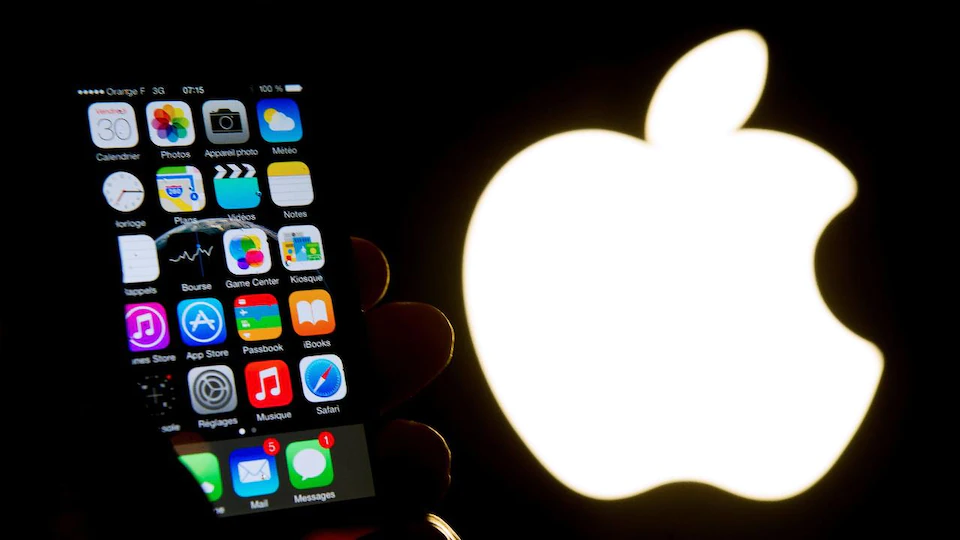
The latest cyberattack targeting iPhone users is a reminder that security problems do not always start with an obviously suspicious email. This time, attackers used compromised software on legitimate websites to deliver malicious code to visitors. [1]
For business owners, the question is bigger than “Is my phone safe?” It is “Who can help me figure out what’s happening—and what to do next?”
What Happened in the Latest iPhone Cyberattack?
On November 16, 2026, attackers exploited a vulnerability in Optimizely, a service businesses use to test and customize their websites. The attackers inserted malicious JavaScript into some customer projects, allowing harmful code to reach visitors through otherwise legitimate websites. [1]
Reuters reported that security researcher Scott Helme identified malicious code associated with websites belonging to 178 organizations. The attack attempted to steal sensitive information and target Apple mobile devices. [1]
The malicious code included attempts to:
- Replace cryptocurrency payment addresses with an attacker-controlled address.
- Capture payment card information entered on websites.
- Steal browser cookies and capture screenshots.
- Deliver exploit code targeting iPhones and iPads.
These were reported capabilities and attack attempts—not proof that every visitor experienced each outcome. [1]
That is what makes this incident worth paying attention to: visitors did not necessarily have to seek out a questionable website to encounter malicious code. The attack abused software running on familiar, legitimate sites. [1]
Does That Mean Your iPhone Was Hacked?
No—not simply because you own an iPhone or visited a website mentioned in the reporting.
This incident involved compromised third-party website software. It was not reported as a confirmed breach of Apple’s infrastructure. Encountering malicious code is also not the same as a confirmed device compromise. [1] [2]
Researchers identified attempts to deliver iPhone exploit kits called Coruna and DarkSword. However, reporting available on November 17 did not establish whether those attempts successfully compromised any iPhones or iPads. [2]
Optimizely said it fixed the vulnerability, removed the injected code, and took steps to secure affected accounts. The full extent of successful exploitation remained unclear. [1]
The right response is not panic. It is checking the facts, securing your accounts, and getting appropriate help when something needs investigation.
Why Phoenix and Scottsdale Business Owners Should Pay Attention
Think about what you use your phone to access during a normal workday:
- Business email and customer conversations.
- Website administration.
- Payment and banking tools.
- Shared files and cloud applications.
- Account recovery messages and authentication codes.
Now ask yourself: if one of those accounts started behaving strangely, who would take the lead?
Would you call your website designer? Your software provider? The employee who usually fixes the printer?
Or would everyone assume someone else was handling it?
This attack illustrates a specific problem: the security of a website can depend on third-party software embedded within it. Reuters identified the incident as an example of that wider software supply-chain risk. [1]
For your business, that makes a clear support contact valuable. You need somewhere to start—not a list of vendors pointing you in different directions.

What to Do When Something Doesn’t Seem Right
You do not need to diagnose the problem yourself before taking it seriously.
1. Check Your iPhone’s Software Updates
Check for and install the latest software update available for your supported device. Reporting on this attack recommends keeping iPhones and iPads current rather than assuming a device is protected because it is relatively new. [2]
2. Pay Attention to Unfamiliar Account Activity
Apple identifies several signs that someone else might have access to your Apple Account:
- A notification about a sign-in you do not recognize.
- A two-factor authentication code you did not request.
- Messages, purchases, or account changes you did not make.
- A password that unexpectedly stops working.
These signs do not prove a connection to this particular attack. They do give you a reason to investigate your account security. [3]
3. Use Apple’s Official Account-Security Instructions
If you suspect unauthorized access, Apple recommends changing your password, checking your account information, removing unfamiliar devices, and enabling two-factor authentication if it is not already active. [3]
Follow Apple’s official instructions for a potentially compromised account rather than guessing your way through an unfamiliar account problem.
4. Get Help With the Business Side of the Problem
Perhaps the concern is not your personal Apple Account. Maybe it is your company website, an employee’s email, or a business application behaving unexpectedly.
You do not have to know the technical explanation before asking for support.
- “Our website is redirecting visitors.”
- “I received an account alert I don’t recognize.”
- “Something changed, and nobody here knows why.”
That is enough to begin a useful conversation.
Who Do You Call? Start With TLD USA.
TLD USA brings website support, fractional IT, cloud solutions, and cybersecurity services together for small businesses in Phoenix and Scottsdale.
Instead of trying to decide which technical category your problem belongs in, tell us what you are seeing.
We can discuss your concern, the support you need, and the appropriate next step.
Our services include:
- Website maintenance and support.
- Fractional IT support for businesses that do not need a full-time internal IT department.
- Cloud solutions.
- Cybersecurity services.
A support conversation should start with understanding the situation—not declaring that every unexpected alert means you have been hacked.
Something Doesn’t Seem Right? Let’s Talk.
You have customers to serve and a business to run. You should not have to spend your afternoon guessing whether an unfamiliar alert is harmless or needs attention.
Contact TLD USA to discuss your business technology concerns, the scope of support you need, and the next step.
Website support. Fractional IT. A local starting point for Phoenix and Scottsdale businesses.