
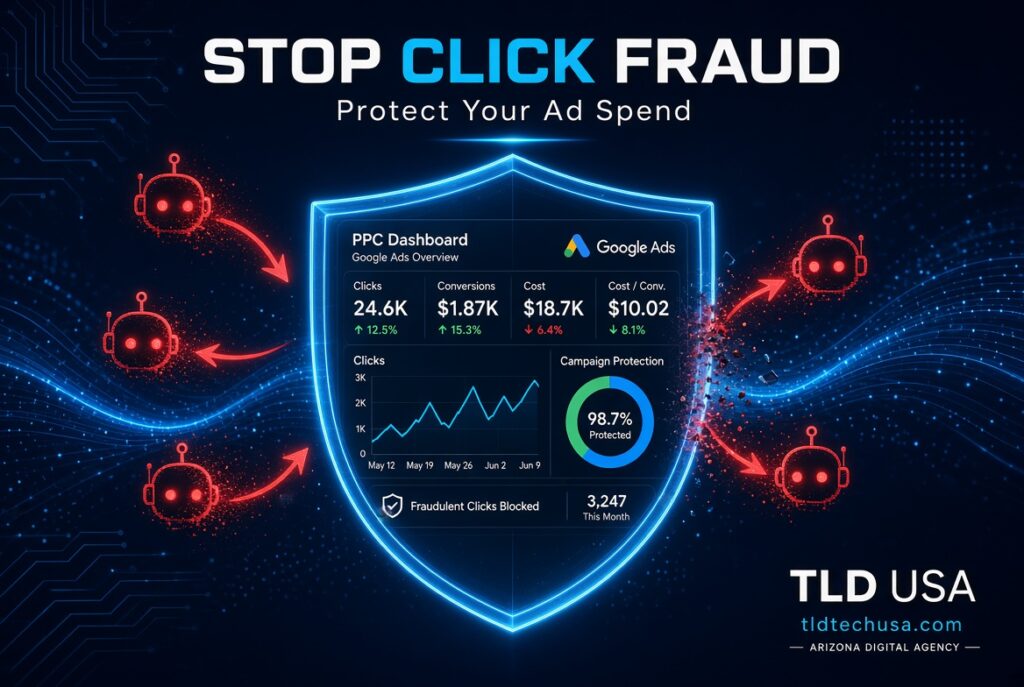
Your Google Ads budget disappears every day, right on schedule, but the phone isn’t ringing to match it.
Before assuming your ads just aren’t working, consider a less obvious possibility: click fraud Google Ads campaigns quietly drain real budget every single day, and it happens far more often than most business owners realize.
Quick answer: Click fraud on Google Ads happens when bots, competitors, or click farms repeatedly click your ads with no real intent to buy, wasting your budget and corrupting your performance data. Industry data consistently shows double-digit invalid click rates across Google Ads, with local service industries like plumbing, HVAC, and legal services hit especially hard. Monitoring your click patterns and setting up IP exclusions are the most effective first steps to fight back.
Table of Contents
- Why This Costs More Than Just Wasted Spend
- Who’s Actually Doing This
- How to Spot Click Fraud in Your Own Account
- What to Do About It
- Why Local Service Businesses Get Hit Hardest
- A Simple Next Step
- Frequently Asked Questions
Why This Costs More Than Just Wasted Spend
The direct financial hit is obvious.
Every fraudulent click burns real budget on someone who was never going to become a customer.
Still, the bigger problem often runs deeper than that. Google’s Smart Bidding and other automated bidding tools learn from your conversion data. So if fraudulent clicks or fake conversions slip through, the algorithm can start optimizing toward more of that same low-quality traffic, quietly making your entire account worse over time.
Because of that second-order effect, click fraud doesn’t just cost you today’s budget. It can actively steer your campaigns in the wrong direction going forward.
Who’s Actually Doing This
Competitors trying to exhaust your daily budget.
By repeatedly clicking your ads early in the day, a competitor can push your budget to zero fast, then enjoy cheaper, less competitive placement for the rest of the day.
Automated bot networks.
Large-scale bot traffic, sometimes running through infected devices, generates clicks that look like real human traffic to most basic fraud detection.
Low-quality ad placements.
Certain Display Network placements attract disproportionate amounts of accidental or fraudulent clicks, particularly on mobile apps designed to generate accidental taps.
How to Spot Click Fraud in Your Own Account
Watch for unusual click patterns from the same location.
Repeated clicks from a single IP address, especially at the same time of day on the same keywords, is a strong signal.
Compare your click-through rate to your conversion rate over time.
A sudden spike in clicks with no corresponding increase in leads or conversions deserves a closer look.
Check your Display Network placements regularly.
A small number of placements are often responsible for a disproportionate share of low-quality clicks.
Review your geographic and device performance data.
Fraud often concentrates in specific locations or device types that don’t match your typical customer base.
What to Do About It
Set up IP exclusions for repeat offenders. Once you identify a suspicious IP address, excluding it prevents further wasted spend from that specific source.
Use Google’s own invalid click reporting. Google does track and sometimes refund invalid clicks, though its detection generally catches less than independent, dedicated fraud monitoring tools.
Consider a dedicated click fraud protection service for high-spend accounts. For businesses spending significant monthly budget, a real-time monitoring tool can catch and block fraud far faster than manual review.
Keep your conversion tracking clean and accurate. This matters for more than just fraud detection. Our guide on local marketing tracking for Phoenix and Scottsdale businesses covers why accurate tracking is foundational to every marketing decision you make.
Why Local Service Businesses Get Hit Hardest
Industries with high cost-per-click, including plumbing, HVAC, legal services, and other local service categories, are disproportionately targeted. That’s because each fraudulent click costs more in these industries, making them a more attractive target for competitors trying to drain a rival’s budget quickly and cheaply.
If your business operates in one of these categories, click fraud monitoring isn’t an optional add-on. It’s a meaningful part of protecting your actual marketing return.
A Simple Next Step
Wasted ad spend from click fraud is one of the more invisible drains on a marketing budget, precisely because it looks like normal traffic on the surface. A closer look at your account’s click patterns often reveals more waste than expected.
Book a time to review your Google Ads account for click fraud: calendly.com/tldusa480/30min
Frequently Asked Questions
How much of my ad budget is typically lost to click fraud?
Industry data commonly shows double-digit invalid click rates on Google Ads, though this varies significantly by industry and how aggressively you monitor for it.
Does Google Ads automatically filter out fraudulent clicks?
Google does some filtering, but independent research consistently shows its detection catches meaningfully less than dedicated third-party fraud monitoring tools.
Can I get a refund for fraudulent clicks?
Yes, in some cases, if you can provide clear evidence. Google does offer refunds for confirmed invalid clicks when properly documented.
Is click fraud protection worth it for a smaller ad budget?
It depends on your spend level and industry, but even a modest monthly budget in a high-CPC category can justify basic monitoring, since the wasted spend adds up quickly.
Final Thoughts
Click fraud is a quiet, ongoing drain on Google Ads budgets, and it’s easy to mistake for simply “ads that aren’t working.” For Scottsdale and Phoenix businesses running paid search campaigns, a closer look at click patterns often uncovers real, recoverable waste hiding in plain sight.
TLD USA helps local business owners audit and protect their Google Ads campaigns so budget actually reaches real, qualified customers.
Call (623) 282-2114 or book a time directly: calendly.com/tldusa480/30min